Why Does My Smart Thermostat Screen Go Blank?
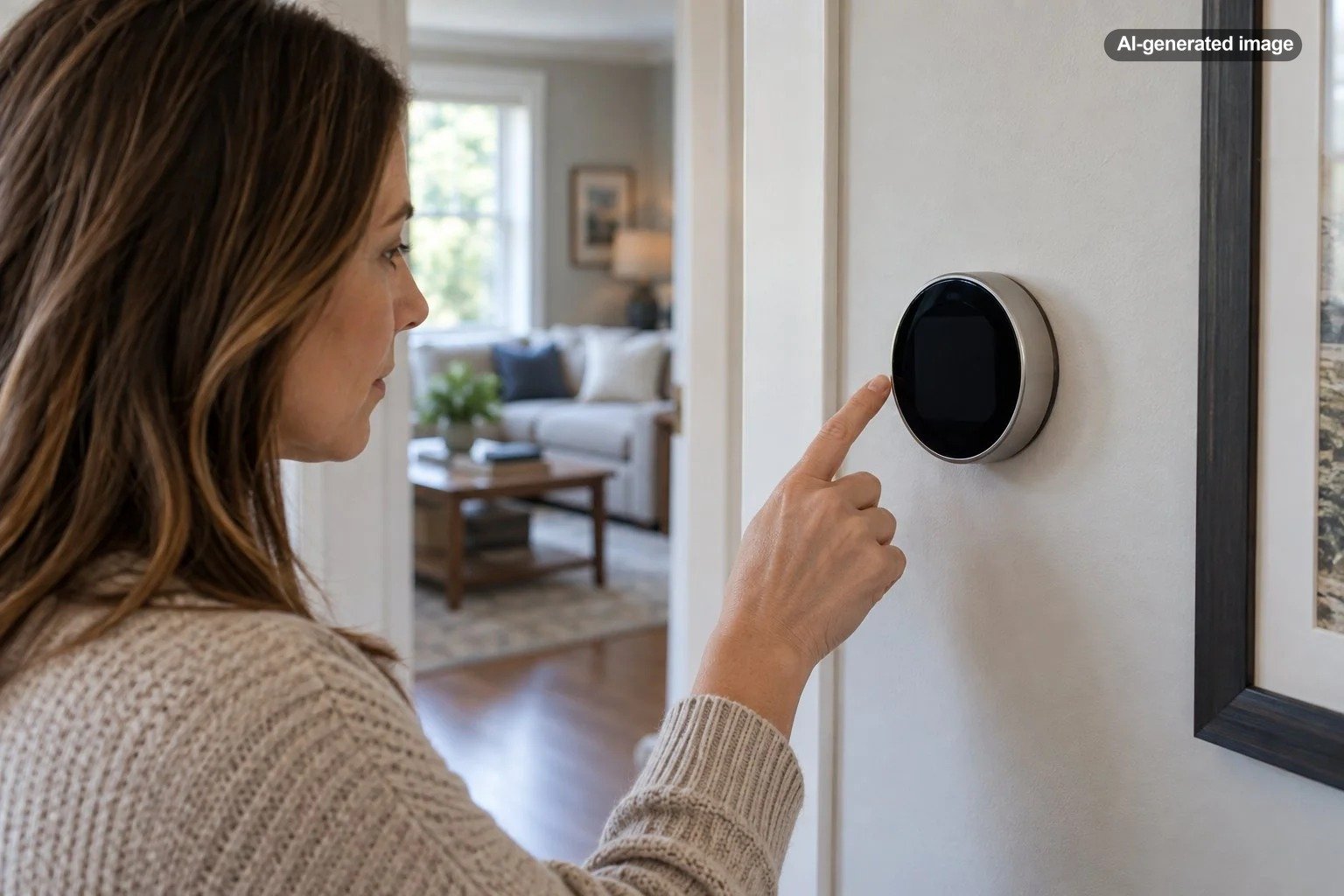
A smart thermostat screen that suddenly goes blank usually means the thermostat has lost the power it needs to operate, although the reason can be as simple as depleted batteries or as involved as an HVAC equipment problem. Common possibilities include a tripped breaker, an equipment service switch that was turned off, a loose thermostat connection, inadequate C-wire power, a condensate safety switch shutting the system down, or an internal HVAC fault.
The useful clue is that the thermostat and the heating or cooling equipment are part of the same control system. A dark display is not always a failed thermostat. In many homes, it is the first visible sign that power to the thermostat has been interrupted somewhere else.
Why a smart thermostat can lose its display
Smart thermostats need dependable electrical power because they may operate a display, Wi-Fi connection, sensors, and other electronics. ENERGY STAR notes that most smart thermostats use low-voltage wiring and that many obtain continuous power through a common wire, commonly called a C wire. Some installations can work without one, depending on the thermostat and HVAC system.
That distinction matters because an older battery-powered thermostat might continue displaying the temperature even when HVAC control power is interrupted. A smart thermostat that depends on the HVAC system for power can instead go dark, restart, disconnect from Wi-Fi, or report a low-power condition.
Check the obvious power sources first
Before assuming the thermostat itself has failed, look at the larger power picture. If the outage affects more than the thermostat, the cause may simply be household power. If everything else is operating normally, check the circuit breaker or fuse associated with the heating and cooling equipment.
Many furnaces and air handlers also have a dedicated service switch nearby. It can resemble an ordinary light switch, which makes it surprisingly easy for someone to turn it off accidentally while cleaning, storing items, or working around the equipment.
What to do
- Confirm that the home has electrical power and that the problem is limited to the thermostat or HVAC system.
- Check the HVAC breaker or fuse without opening electrical equipment.
- Look for an accessible HVAC service switch that may have been turned off.
- If the thermostat has replaceable batteries, follow the manufacturer’s instructions for checking or replacing them.
- Check the thermostat’s companion app, if available, for power warnings, error messages, or equipment alerts.
- If power immediately trips again or the system still appears dead, stop and call a qualified professional rather than repeatedly resetting it.
The HVAC system itself may have shut down
A blank thermostat can sometimes be a symptom rather than the root problem. Heating and cooling equipment contains controls and protective devices that can interrupt operation under certain conditions. Depending on the system, losing equipment power can also remove the low-voltage supply that keeps the thermostat operating.
One example is a condensate-related shutdown. Air-conditioning systems and some high-efficiency heating equipment produce water that must drain properly. Certain installations use a safety switch intended to stop equipment if water backs up. If that arrangement also interrupts thermostat power, the blank screen may appear at the same time as the HVAC shutdown.
Low-voltage wiring and the C wire deserve attention
Thermostat wiring is typically low voltage, but that does not make every wiring problem a sensible DIY project. A loose connection, incorrect installation, damaged wire, failed transformer, or inadequate power arrangement can all interfere with thermostat operation.
The C wire is especially relevant to smart thermostats because it provides a continuous power path on systems that use it. ENERGY STAR explains that most smart thermostats need more consistent power than basic battery-operated programmable thermostats. Google similarly notes that some Nest installations need a C wire or compatible power accessory and lists a display that will not turn on among possible symptoms of inadequate power.
If the problem began immediately after thermostat installation, HVAC service, remodeling, or wiring changes, that timing is useful information for a technician. If the thermostat worked properly for months or years and now repeatedly loses power, the cause may lie elsewhere in the HVAC system rather than in the original thermostat setup.
What if the screen comes back on by itself?
An intermittent display is often more informative than a permanently dead one. A thermostat that goes blank and later restarts may be experiencing unstable power, a battery condition, a loose connection, or an HVAC shutdown that later resets.
Pay attention to what the system is doing immediately before the display disappears. Does it happen when heating starts, when cooling starts, after the system has been running for a while, or seemingly at random? Does the thermostat also drop offline in its app? Does the HVAC equipment stop at the same moment? Those observations can help narrow the problem without requiring you to dismantle anything.
Could the thermostat itself be defective?
Yes, but replacement should not automatically be the first conclusion. If a new thermostat is installed while the real problem is a failed transformer, interrupted equipment power, incompatible wiring arrangement, or another HVAC fault, the blank-screen problem may remain.
If professional diagnosis or manufacturer troubleshooting ultimately points to the thermostat itself, compatibility matters when selecting a replacement. Google states that Nest compatibility varies by HVAC configuration and that some systems require a C wire or a compatible power accessory. The thermostat manufacturer’s compatibility checker or installation documentation should therefore be consulted rather than assuming that any smart thermostat will work with any heating and cooling system.
Affiliate disclosure: CraneManor.com may earn a commission when you purchase through links on this page. This does not affect the price you pay. Learn more.
For homeowners who have confirmed that their HVAC wiring and system are compatible and actually need a replacement, a programmable smart thermostat such as the Google Nest Thermostat is one option that supports connected temperature control. Compatibility should be verified before purchase or installation rather than inferred from the appearance of the existing thermostat.
When to call an HVAC professional
A homeowner can reasonably check accessible switches, breakers, batteries, app messages, and obvious signs of trouble. Diagnosis becomes more technical when the issue involves wiring, transformers, control boards, internal equipment components, condensate controls, or repeated electrical interruptions.
Professional evaluation is especially appropriate when the thermostat repeatedly loses power, the HVAC system will not run, a breaker repeatedly trips, the equipment starts and stops unusually, the problem follows a wiring change, or manufacturer troubleshooting points toward an equipment-side power problem.
A qualified technician can determine whether the thermostat is actually defective or simply reporting a problem elsewhere. That distinction can prevent unnecessary thermostat replacement and, more importantly, identify an HVAC issue that deserves attention.
How to make troubleshooting easier next time
Once the problem is resolved, keep a few details with your home records: the thermostat model, HVAC equipment model information, a photo of the thermostat wiring taken while power is safely off, and any relevant installer documentation. Knowing whether the system uses a C wire or power accessory can also make future troubleshooting much faster.
If the thermostat app offers equipment alerts or power notifications, leaving those enabled can provide context when something goes wrong. A dark rectangle on the wall tells you very little; an accompanying error code or power warning can tell a technician considerably more.
Frequently asked questions
Does a blank thermostat screen mean the furnace is broken?
No. A blank screen can result from several causes, including interrupted HVAC power, a switched-off service switch, battery issues, thermostat wiring trouble, or an equipment problem. The furnace or air handler is one part of the troubleshooting sequence, not an automatic diagnosis.
Can a C-wire problem make a smart thermostat go blank?
Yes, on installations where the thermostat requires continuous power through a C wire or another compatible power arrangement. Requirements vary by thermostat model and HVAC configuration, so use the manufacturer’s documentation for your specific equipment.
Should I reset the HVAC breaker?
If a breaker has tripped, a homeowner may identify that condition from the electrical panel, but repeatedly resetting a breaker that trips again is not a repair. A recurring trip indicates a problem that should be professionally diagnosed.
Why is my thermostat blank but the app still works?
Some thermostats intentionally dim their displays when idle, so first determine whether the device is actually unpowered. If you can still control it normally through the app and the HVAC system responds correctly, the dark screen may be normal display behavior rather than a loss of thermostat power.
Should I replace the thermostat if the screen keeps going blank?
Not until the power source and HVAC system have been considered. Replacing the thermostat will not correct a failing power supply, wiring problem, equipment shutdown, or other upstream fault.