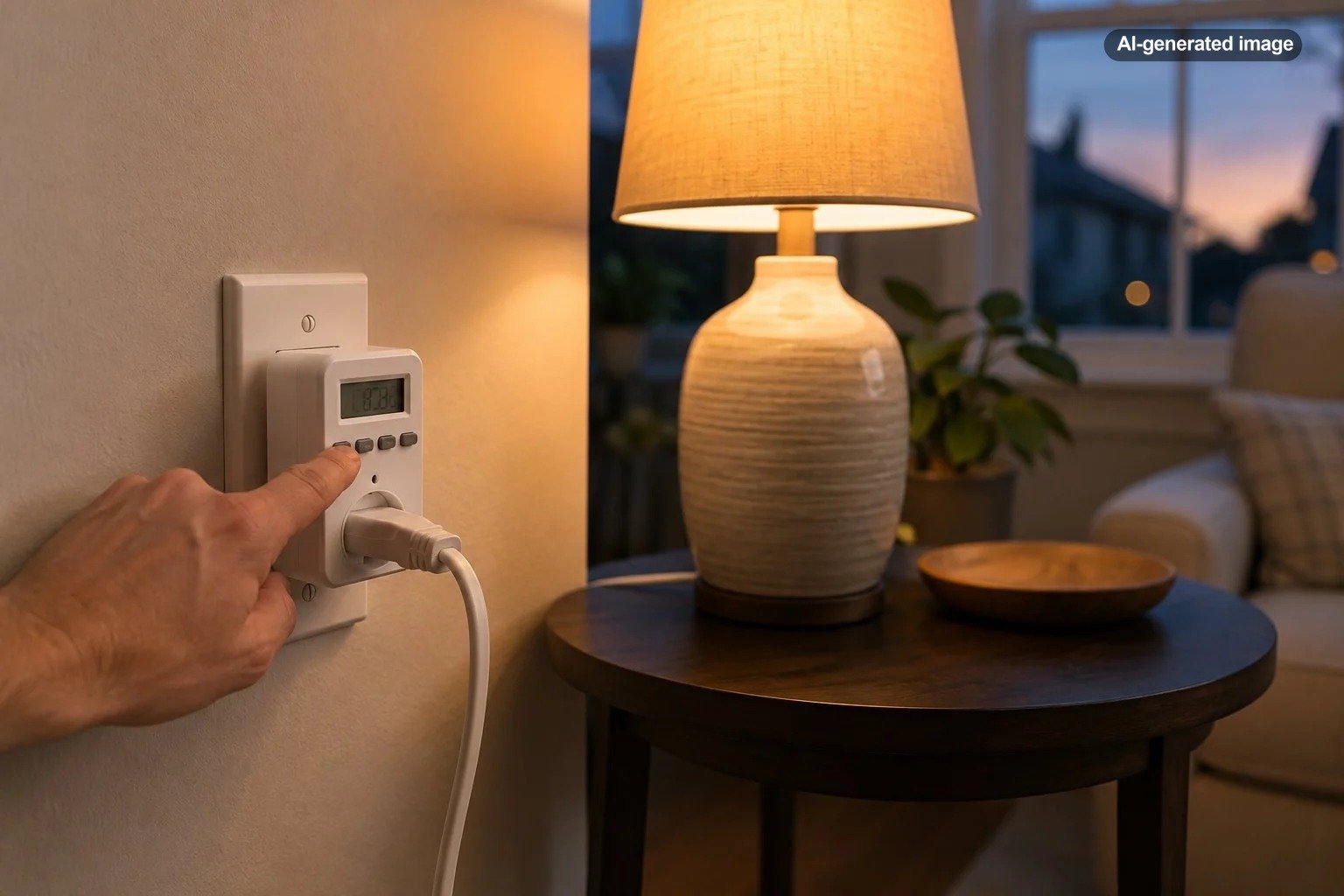
Are Programmable Light Timers Worth Using at Home?
Yes, programmable light timers are worth using at home when you want dependable lighting schedules without relying on an app, voice assistant, or internet connection. They are especially useful for lamps, seasonal decorations, aquarium lighting, and rooms where lights tend to be left on longer than necessary.
A timer is not the most sophisticated form of home automation, but that simplicity is part of its appeal. Once programmed correctly, it can quietly handle the same routine every day or follow different schedules throughout the week.
What a programmable light timer actually does
A programmable timer sits between a power source and a light. Plug-in models connect to a standard receptacle, while in-wall models replace or supplement a conventional wall switch. You set the days and times when the connected light should turn on or off, and the timer repeats those instructions automatically.
Digital models generally offer more scheduling flexibility than old-fashioned mechanical dial timers. Depending on the model, you may be able to create separate weekday and weekend schedules, set several on-and-off periods, temporarily override the program, or vary the timing through a vacation or random mode.
The U.S. Department of Energy describes timers as one of several established lighting-control options, alongside dimmers, occupancy sensors, and photosensors. The best control depends on the result you want: a timer follows the clock, while a sensor responds to activity or available light. The Department of Energy explains how lighting controls can match light output to timing, occupancy, tasks, and daylight conditions.
Where light timers are most useful
Living room and bedroom lamps
A timer can turn on a lamp shortly before sunset or switch off a bedside light after a regular bedtime. This is useful when the lamp is difficult to reach, when a room should be softly lit before you enter, or when someone frequently forgets to turn it off.
Entryway and window-facing lights
Scheduled lighting can make a dark entryway more welcoming when household members return in the evening. It can also create a normal-looking lighting routine while the home is unoccupied. However, lighting should be treated as one small part of a broader security plan, not as a guarantee against burglary.
Seasonal and decorative lighting
Timers are particularly convenient for window candles, holiday lights, and other decorative displays that would otherwise require daily attention. Confirm that the timer is rated for the intended location and electrical load. An indoor timer should not be placed outdoors or in a damp area merely because the attached lights are labeled for exterior use.
Lighting for pets, plants, and aquariums
A repeatable schedule can support consistent lighting routines for an aquarium, plant shelf, or pet area. The timer should control only equipment that its manufacturer identifies as suitable, and essential life-support equipment should not be placed on an ordinary household timer without appropriate safeguards.
The main advantages
Advantages
- Runs automatically after the initial setup
- Does not usually require Wi-Fi or an online account
- Works well for predictable daily or weekly routines
- Can reduce unnecessary operating time when lights are routinely forgotten
- Offers a simple option for renters and small spaces
Tradeoffs
- Schedules may need seasonal adjustments
- Programming small buttons and displays can be tedious
- Bulky plug-in models may block a nearby receptacle
- Most basic timers cannot be controlled remotely
- A fixed schedule does not react to occupancy or changing daylight
The practical value is often convenience rather than dramatic energy savings. A timer can avoid wasted electricity only when it turns off lighting that would otherwise remain on. The amount saved depends on the lamp wattage, the original operating time, and how consistently the schedule reduces that time.
Programmable timer or smart plug?
| Consideration | Programmable timer | Smart plug |
|---|---|---|
| Internet needed | Usually no | Often needed for remote features |
| Remote control | Usually unavailable | Commonly available |
| Setup | Buttons and onboard display | Usually an app |
| Best use | Stable repeating schedules | Flexible routines and remote changes |
| Household fit | People who prefer simple controls | People already using smart-home systems |
A conventional timer is often the better choice for a lamp that should follow the same schedule every week. There is no app to maintain, no account password to remember, and no concern that a changed router will interrupt the routine.
A smart plug is more useful when schedules change frequently, when you want to control a light while away from home, or when lighting should respond to other devices and household routines. It may also provide easier setup for someone who finds a timer’s compact display difficult to read.
The best lighting control is not the one with the most features; it is the one your household can set correctly and continue using.
What to check before buying a timer
Before you decide
- Indoor or outdoor rating: Match the timer to its actual environment.
- Electrical rating: Confirm that the connected lighting does not exceed the timer’s limits.
- Grounding: Use a grounded timer when the connected device requires a three-prong connection.
- Schedule capacity: Check how many daily or weekly programs the timer can store.
- Outlet behavior: Determine whether multiple receptacles are controlled together.
- Backup memory: Look for a model that retains its program after a short outage or when unplugged.
- Physical size: Make sure the housing will not interfere with furniture, wall plates, or adjacent plugs.
For a straightforward weekly lighting schedule, BN-LINK’s official product information for its seven-day dual-outlet digital timer describes eight on-and-off programs, one-minute scheduling intervals, a daylight-saving setting, and two outlets controlled together. Those details illustrate the kinds of features worth comparing even when you choose another model.
Affiliate disclosure: CraneManor.com may earn a commission when you purchase through links on this page. This does not affect the price you pay. Learn more.
One available option is a digital outlet timer for lamps with a seven-day schedule and dual outlets. Verify the current manual, listing, electrical limits, and intended uses before connecting any device.
Common timer mistakes
Leaving the timer in manual mode
Many digital timers have manual on, manual off, and automatic modes. A perfectly programmed schedule will appear broken when the device has been left in a manual setting. After programming, confirm that the display indicates the correct automatic mode.
Programming overlapping events
Multiple schedules can conflict. For example, one program may turn a lamp off at 10 p.m. while another tells it to remain on until midnight. Review every stored event rather than checking only the first program.
Forgetting seasonal changes
A clock-based timer does not know that sunset has shifted unless it includes an astronomical function. A schedule that works beautifully in December may turn lights on far too early in June. Plan to review ordinary clock timers several times a year.
Connecting unsuitable equipment
Do not assume that a timer suitable for a table lamp is appropriate for a heater, motor, major appliance, or other high-demand device. Follow the timer manufacturer’s load limits and the connected product’s instructions. Devices that should not operate unattended should not be made unattended simply by adding a timer.
How to set one up successfully
What to do
- Read the timer manual and confirm that the lamp and bulb are compatible with it.
- Set the current day and time, including the correct morning or evening designation.
- Create one simple on-and-off schedule before adding more programs.
- Place the timer in automatic mode.
- Use the manual override once to confirm that the lamp responds correctly.
- Observe at least one complete scheduled cycle.
- Save the instructions or photograph the final settings for easier seasonal changes.
Keep the first schedule simple. A lamp that turns on once in the evening and off once at bedtime is easier to verify than a complicated set of overlapping programs. Add additional periods only after the basic routine works as intended.
So, are they worth it?
Programmable light timers are worth it for households that value dependable schedules, low-tech operation, and a modest setup cost. They work particularly well for a few lamps or decorative lights that follow regular routines.
They are less appealing when lighting needs to respond to changing occupancy, sunset times, travel plans, or other smart-home events. In those situations, a smart plug, occupancy sensor, or integrated lighting-control system may justify the added complexity.
The sensible approach is to begin with the problem rather than the technology. When the goal is simply to make one lamp turn on at dusk and off at bedtime, a basic programmable timer may be all the automation the room needs.
Frequently asked questions
Do light timers use electricity when the light is off?
Digital timers generally require a small amount of power for their clock, display, or internal electronics. Whether the arrangement reduces total electricity use depends primarily on how much unnecessary lighting time the schedule eliminates.
Can a timer make a home more secure?
Scheduled lights can make an unoccupied home look less static, especially when timing varies. They cannot prevent a break-in and should complement appropriate locks, exterior lighting, alarms, and other security measures.
Will a programmable timer work with LED bulbs?
Many do, but compatibility should be confirmed in the timer documentation. This is especially important for in-wall electronic timers, dimmable fixtures, and lighting systems with unusual power supplies.
Do timer settings disappear during a power outage?
That depends on the model. Some digital timers include backup memory or a rechargeable internal battery, while others may lose the current time or program. Check the manual and verify the clock after an extended outage.
Can renters use programmable timers?
Plug-in timers are generally renter-friendly because they do not require changes to permanent wiring. In-wall timers involve electrical work and may require property-owner approval as well as installation by a qualified professional.