Where Should You Install a Home Security Camera?
Install home security cameras where people naturally approach, enter, or move around your property: the front door, driveway, garage entrance, side gate, back door, and any concealed path leading toward the house. Indoors, prioritize entry-facing hallways and shared spaces rather than private rooms.
The best placement is not necessarily the highest point or the widest possible view. A useful camera needs a clear angle, dependable power or battery access, a reliable network connection, and enough detail to show what happened rather than merely confirming that someone was present.
Begin With the Front Door
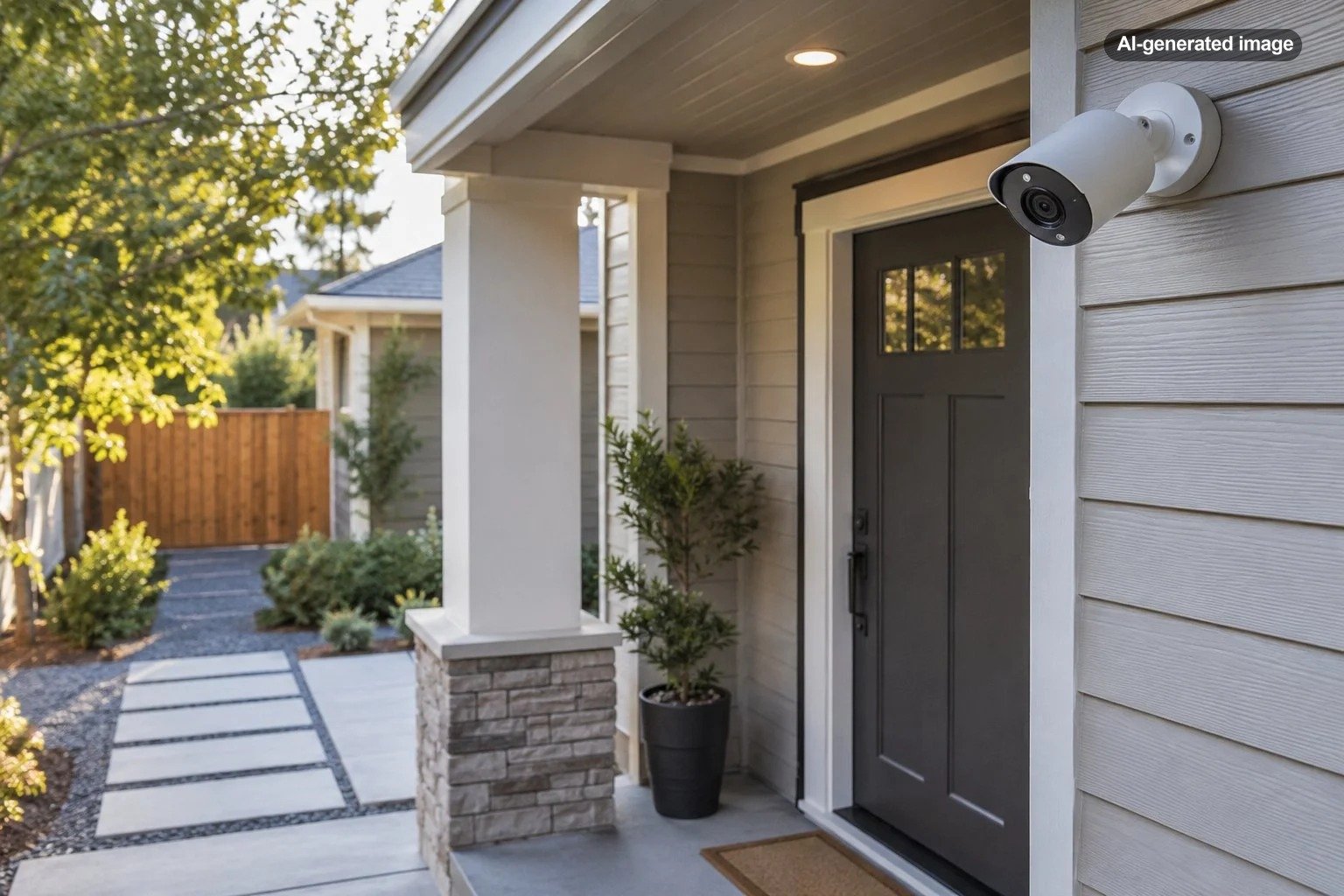
For many homes, the front entrance is the most valuable first location. It is where visitors, deliveries, contractors, and unexpected callers are most likely to appear. A doorbell camera can provide a direct view of the approach, while a separate exterior camera may offer a wider look at the porch, walkway, and steps.
Avoid aiming the camera so narrowly that it captures only the door itself. The frame should ideally include the route a person uses to reach the entrance. At the same time, do not make the view so wide that faces become tiny details at the far edge of the image.
Homes with angled siding, deep porch columns, stairs, or an entrance located beside rather than in front of the walkway may need a wedge, corner mount, or adjustable bracket. The goal is to place the expected approach through the central portion of the image instead of relying on the extreme edge of the lens.
Cover the Driveway and Garage Approach
A driveway camera can document vehicles, people approaching from the street, and activity around a garage. Position it to observe the driveway entrance and the route toward the home, but avoid pointing it primarily at a public roadway. Constant traffic can produce unnecessary recordings and alerts while using battery power and cloud storage.
If the garage is attached, consider whether you need to see the entire driveway or the area immediately outside the garage door. One wide camera may be adequate for a short, open driveway. A long driveway, detached garage, carport, or curved approach may need a more focused angle or an additional camera.
Do not overlook the door connecting an attached garage to the house. It may be a more meaningful security point than the large vehicle door itself. An exterior camera can monitor the approach, while an indoor camera in a shared hallway can show movement after someone enters.
Watch Back Doors, Patio Doors, and Side Gates
Rear and side entrances often receive less natural attention than the front porch. Cover exterior doors, sliding patio doors, side gates, and narrow passages between the house and a fence. These areas are especially important when landscaping, a detached structure, or the shape of the lot blocks the view from neighboring homes.
Place the camera where a person must move across the image rather than directly toward it whenever practical. Side-to-side movement can be easier for some motion systems to recognize consistently. Keep shrubs, hanging plants, flags, wind chimes, and moving branches out of the immediate foreground because they can obscure the view or trigger avoidable alerts.
Place Outdoor Cameras at a Useful Height
Camera-specific instructions should determine the final mounting height and angle. Ring, for example, currently advises positioning many outdoor security cameras about 8 to 10 feet above the ground with a downward tilt, while indoor cameras can generally be mounted up to about 8 feet. Other manufacturers and models may differ, so check the manual for your exact device.
Mounting extremely high can make a camera difficult to reach, but it can also reduce the detail captured in faces and leave the image dominated by the tops of heads. Mounting too low can make the device easier to block, move, or remove. A moderately elevated position with a clear downward view is usually more useful than placing a camera near the roofline simply because that location feels protected.
Before drilling, temporarily hold or mount the camera in the proposed position. Check the live view during the day and after dark. Walk through the monitored area at a normal pace and confirm that the device records the approach, sends an alert when expected, and preserves enough detail to identify clothing and other distinguishing features.
A camera is well placed when it records the route that matters with useful detail, not merely the largest possible area.
Use Indoor Cameras Selectively
Indoor cameras are most useful when they monitor common routes rather than private activities. Suitable locations may include an entry hall, mudroom, family room facing an exterior door, or a central passage connecting several entrances. A corner position can provide broad coverage without dominating the room visually.
Avoid bedrooms, bathrooms, changing areas, and any location where occupants or guests reasonably expect privacy. Think carefully before using audio recording as well. Privacy and consent laws vary by jurisdiction, so local requirements should be reviewed rather than assuming that one rule applies everywhere.
If an indoor camera faces a window, nighttime infrared illumination may reflect from the glass and obscure the image. Some cameras allow infrared lights to be disabled, but the better solution may be to move the camera, change its angle, or use an outdoor-rated unit on the exterior.
Plan Around Power, Weather, and Wi-Fi
A perfect viewing angle is not useful if the camera frequently loses power or its connection. Battery models should remain reasonably accessible for charging or battery replacement. Plug-in models need an appropriate outlet and a safely secured cable. Solar-powered equipment needs suitable sunlight without persistent shade from eaves, trees, or nearby structures.
Use an outdoor-rated camera in exposed locations and follow the manufacturer’s installation instructions for orientation, mounting surface, hardware, and weather protection. Do not assume an indoor camera becomes weather-resistant because it is sheltered beneath a porch roof.
Test the wireless connection at the proposed location before mounting. Exterior walls, masonry, metal garage doors, appliances, and distance from the router can weaken the signal. A camera that performs well on a table beside the router may behave differently at the far corner of the house.
Affiliate disclosure: CraneManor.com may earn a commission when you purchase through links on this page. This does not affect the price you pay. Learn more.
For an exterior entry or side-yard location without convenient wiring, a battery-powered outdoor security camera may offer more placement flexibility. Confirm that the specific model’s field of view, operating requirements, app features, and mounting instructions fit the location before purchasing.
Avoid Common Placement Mistakes
- Pointing directly into bright light: Strong backlighting, headlights, or direct sun can reduce visible detail.
- Including too much street: Passing cars and pedestrians may create frequent alerts without improving coverage of your property.
- Mounting behind glass: Reflections and infrared glare can compromise nighttime video.
- Letting objects crowd the lens: Eaves, posts, leaves, screens, and decorations can block part of the image or reflect infrared light.
- Ignoring seasonal changes: A clear winter view may be obscured once trees and shrubs fill out.
- Creating an obvious blind spot: Review how someone could approach from beneath, behind, or outside the camera’s motion zone.
- Recording neighboring private areas: Adjust the angle and use privacy zones when available.
Secure the Camera System, Not Just the Mount
Physical placement is only one part of a dependable system. The Federal Trade Commission recommends choosing cameras with security protections, using strong and unique passwords, enabling two-factor authentication when available, keeping camera and app software updated, and securing the home network with current encryption.
Review account permissions whenever household members, pet sitters, or other trusted people no longer need access. Check privacy settings, recording retention, cloud storage preferences, microphones, status lights, and remote viewing options. A separate network for connected devices may also help isolate cameras from computers and other sensitive equipment.
Before you decide
- Identify the exact approach, door, gate, or route the camera should monitor.
- Confirm that faces and clothing appear at a useful scale in the live view.
- Check daytime, nighttime, and backlit image quality.
- Test motion alerts with a real walk-through.
- Verify power access, battery maintenance, weather exposure, and Wi-Fi strength.
- Remove moving objects and reflective surfaces from the near foreground.
- Review privacy zones, audio settings, passwords, updates, and shared access.
Frequently Asked Questions
How many security cameras does a typical home need?
There is no universal number. Begin with the principal entrance and the least visible secondary entrance, then add coverage for the driveway, garage, backyard, or indoor circulation route when those areas present meaningful gaps.
Should cameras overlap?
A small amount of overlap can reduce blind spots and help show how someone moved from one area to another. Excessive overlap may duplicate alerts and recordings without adding useful information.
Should a camera be visible or hidden?
A visible camera may discourage unwanted activity and is easier to position with an unobstructed view. Concealment can limit the field of view and complicate maintenance. Regardless of visibility, follow local privacy laws and never place cameras in areas where people reasonably expect privacy.
Can renters install security cameras?
Renters may be able to use door-mounted, freestanding, battery-powered, or nonpermanent options, but the lease, building rules, shared-space restrictions, and local laws should be checked before drilling or recording common areas.
How often should camera placement be reviewed?
Review the view after installation, after major landscaping changes, after moving outdoor furniture or decorations, and whenever alerts become unreliable. Clean the lens periodically and repeat a daytime and nighttime walk-through.