Why Does My Ceiling Fan Make a Scraping Noise?
A ceiling fan that suddenly develops a scraping noise is usually telling you that two parts are rubbing when they should have clearance between them. Common possibilities include a blade holder touching the motor housing, a canopy rubbing against the ceiling or another fan component, loose hardware allowing a part to shift, or a problem inside the motor assembly. The sound should not simply be ignored, especially if it is new, getting louder, or accompanied by wobbling.
The useful clue is that scraping is different from the more familiar clicking, humming, or rattling of a loose fan. A scrape generally points toward physical contact. Finding where that contact occurs is the first step, and many external causes can be spotted without dismantling the electrical portions of the fan.
Start by figuring out where the scraping sound comes from
A quiet room can make troubleshooting much easier. Before touching the fan, switch it off and wait until it has stopped completely. Then look at the fan from several angles. You are trying to find unusually tight clearances, hardware that has moved, or a polished or scuffed area where two surfaces have been rubbing.
Do not rely on the apparent direction of the sound while the fan is running. Noise can travel through the motor housing, downrod, ceiling box, and light assembly. A scrape that seems to come from the motor may actually begin at a blade bracket or canopy.
What to do
- Turn the fan off and wait for the blades to stop.
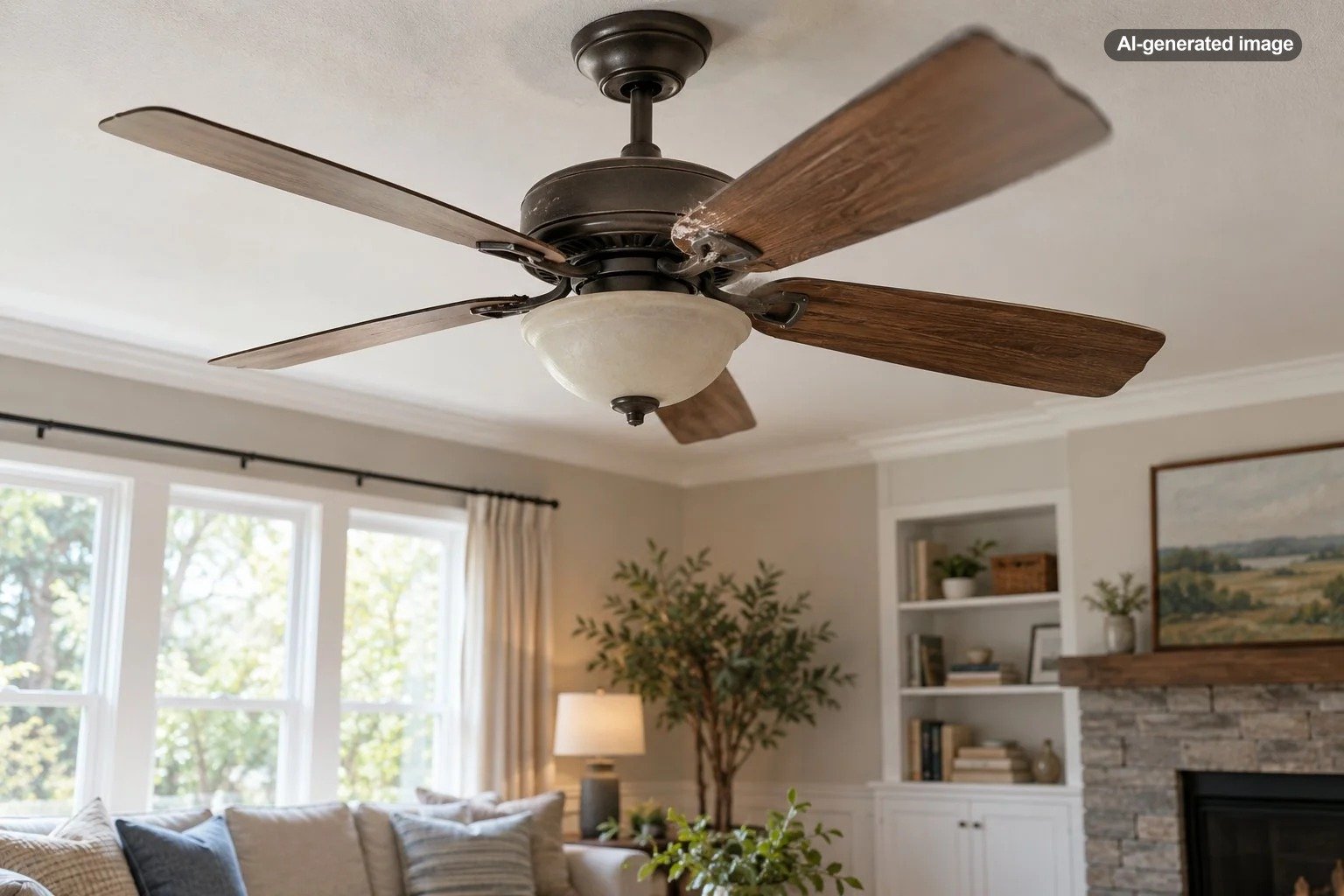
- Look for visible rub marks on the motor housing, blade brackets, canopy, light kit, and nearby trim.
- Check whether one blade or bracket appears closer to the housing than the others.
- With power off, check accessible fan hardware for obvious looseness according to the fan’s manual.
- Restart the fan only if nothing appears damaged, electrically unsafe, or improperly supported, and listen from a safe distance.
A blade bracket may be rubbing the motor housing
One of the most direct explanations for a scraping or rubbing sound is contact between a blade holder, sometimes called a blade bracket or blade iron, and the motor housing. Manufacturer troubleshooting guidance specifically identifies improperly positioned blade holders as a possible source of rubbing.
This can happen after installation, after hardware gradually loosens, or if a bracket has shifted. Compare all of the blade brackets rather than focusing only on the one that looks suspicious. They should generally have consistent spacing relative to the housing.
If a bracket is visibly bent, do not try to force it back into shape while it is attached to the fan. Replacement requirements vary by fan design, and changing the geometry of a blade holder can create balance problems. Consult the model-specific manual or manufacturer for the appropriate repair.
Loose blade hardware can let parts move out of position
Loose blade and blade-bracket screws are common causes of ceiling-fan noise. They more often create clicking or wobbling, but looseness can also allow components to shift enough for intermittent contact elsewhere.
With the fan fully off, inspect accessible screws that secure the blades to their brackets and the brackets to the motor. If the owner’s manual identifies these fasteners as homeowner-serviceable, tighten them only as directed. More force is not automatically better; overtightening can damage threads, hardware, blades, or decorative components.
A cracked, warped, or visibly damaged blade deserves more attention than a loose screw. Fan blades operate as a matched rotating set, so follow the manufacturer’s instructions about replacement rather than improvising with a different blade.
The canopy may be touching the ceiling or another component
The canopy is the decorative cover at the ceiling where the fan is mounted. Depending on the fan’s design, a canopy that has shifted too far upward or sideways can touch the ceiling, mounting area, or another component and create rubbing or vibration-related noise.
Some manufacturer troubleshooting manuals specifically mention canopy contact with the ceiling as a source of fan noise. If the canopy looks crooked, loose, or unusually tight against surrounding material, stop there rather than pulling it apart while the circuit is energized.
Accessing the mounting area can expose electrical connections and the fan’s support hardware. Those are not good places for exploratory DIY work unless the manufacturer’s instructions clearly cover the task and you are qualified to perform it safely.
A light kit or decorative part can imitate a scraping sound
Not every scraping sound originates in the rotating motor assembly. A loose light globe, trim ring, decorative cover, pull chain, or switch-housing component can vibrate and make surprisingly harsh noises.
Look for a chain brushing against a globe, a decorative piece sitting unevenly, or a glass component that is not seated as intended. Follow the model-specific instructions when securing glass or light-kit hardware. Some components require only gentle tightening, and excessive force can damage them.
Wobbling can create intermittent rubbing
A fan that wobbles noticeably may move far enough for one component to touch another periodically. Loose blades, blade brackets, balance problems, and mounting issues are among the reasons manufacturers identify for excessive wobble.
Watch the fan from a safe distance rather than standing underneath it. A slight visual movement is different from pronounced rocking of the motor assembly or downrod. If the entire fan appears insecure at the ceiling, stop using it until the mounting system has been evaluated.
A scraping sound matters less as a description than as evidence that something may be making contact where the fan was designed to have clearance.
What if the scraping seems to be inside the motor?
If no external component appears to be rubbing and the sound clearly follows the motor’s rotation, the problem may be internal. The appropriate response depends heavily on the fan design. Internal components are not a sensible place to experiment because opening the motor assembly may involve electrical parts, specialized hardware, or model-specific service procedures.
An especially important clue is resistance. If the blades do not move normally by hand when the fan is off, do not keep switching the fan on to see whether it frees itself. Manufacturer troubleshooting documentation for some ceiling fans directs owners to seek service when the blades will not turn by hand.
Likewise, a fan that slows unexpectedly, struggles to start, becomes unusually hot, or changes sound rapidly should be left off until the cause is identified.
What not to do with a scraping ceiling fan
A noisy fan can invite quick fixes that create a larger problem. Avoid pushing on moving blades, spraying lubricant into an unidentified opening, bending blade brackets by hand, operating the fan with covers removed, or repeatedly running a fan that appears mechanically obstructed.
Also avoid assuming that every fan is built the same way. Some older designs have maintenance requirements that do not apply to modern sealed systems, while current fans may contain electronic receivers, integrated lighting, or model-specific assemblies. The owner’s manual should take precedence over generic troubleshooting advice.
When a simple inspection is enough – and when it is not
If you find a clearly loose, externally accessible blade screw and the manual permits homeowner tightening, the solution may be straightforward. The same applies to an obvious decorative component that has simply shifted and can be correctly reseated according to the manufacturer’s instructions.
Professional evaluation makes more sense when the fan’s mounting seems loose, the housing appears damaged, the noise comes from inside the motor, the blades resist turning, electrical components are involved, or the problem returns after accessible hardware has been checked.
A scraping fan that began immediately after installation also deserves closer attention. Incorrect assembly, blade-holder orientation, component clearance, or mounting can produce noise even when every individual part is new.
How to reduce the chance of the noise returning
Periodic visual inspection is simple and useful. Keep the fan reasonably clean so dust does not hide fasteners or rub marks, and occasionally look for loose blades, unusual wobble, shifted decorative pieces, or changes in the sound of the fan.
When cleaning, keep pressure on the blades gentle. Pulling down heavily on one blade can stress brackets or shift components. If you notice developing wobble or a new sound, investigate it before months of operation turn a minor clearance issue into additional wear.
Most important, keep the fan’s model number and manual available. Generic troubleshooting can narrow the possibilities, but the manufacturer’s instructions are the right reference for how that particular fan is assembled, which parts are serviceable, and what should be left to a professional.
FAQ
Can dust make a ceiling fan scrape?
Ordinary dust is more likely to contribute to imbalance or reveal neglected maintenance than to create a true mechanical scraping noise by itself. Heavy buildup can make inspection harder, so cleaning the fan while it is off is a sensible first step.
Why does my fan scrape only at one speed?
Different speeds can change vibration and the amount a loose or slightly misaligned component moves. A part may therefore touch only within a particular operating range. The speed-dependent nature of the sound does not mean it should be ignored.
Can a wobbly ceiling fan cause scraping?
Yes. If wobble changes the clearance between moving and stationary components, intermittent contact can occur. The underlying wobble should be investigated rather than treating the scraping as a separate nuisance.
Should I lubricate a scraping ceiling fan?
Not unless the manufacturer’s instructions for your exact fan specifically call for lubrication at a designated point. Many fans are not serviced that way, and adding lubricant blindly will not fix loose, misaligned, damaged, or electrically related components.
Is it safe to keep using the fan if the scraping is faint?
A faint new scrape still indicates that something may be touching. Turn the fan off and inspect the accessible external components before continued use. If the cause cannot be identified, or if there are electrical symptoms, mounting concerns, resistance to rotation, or visible damage, leave the fan off until it has been evaluated.