Is a Smart Thermostat Worth It for a Florida Home?
For many Florida homes, a smart thermostat is worth considering because air conditioning runs for much of the year and small scheduling mistakes can translate into long stretches of unnecessary operation. The strongest benefits are not futuristic tricks. They are practical controls such as remote adjustments, dependable schedules, occupancy-based setbacks, usage reports, and alerts that help homeowners notice unusual patterns.
It is not an automatic money-saving device, however. A smart thermostat cannot correct an oversized air conditioner, leaky ducts, poor insulation, blocked airflow, or an HVAC system that is incompatible with its controls. Its value depends on the equipment, the household’s routine, and whether the thermostat is configured with Florida’s heat and humidity in mind.
Why Florida changes the thermostat calculation
In a cooler climate, thermostat discussions often focus on reducing heating while people are asleep or away. Florida homes present a different challenge: long cooling seasons, intense afternoon sun, high outdoor humidity, and houses that may remain vacant for part of the year.
This makes convenience genuinely useful. Being able to check the indoor temperature while traveling, restore a comfortable setting before returning home, or confirm that the system is still operating can be more valuable than having a decorative touchscreen. Owners of seasonal residences may find remote visibility especially reassuring, although a thermostat should not be treated as a substitute for property checks, leak detection, or professional HVAC maintenance.
Humidity also complicates aggressive temperature setbacks. Raising the setting while a home is empty can reduce cooling demand, but the air conditioner also removes moisture while it runs. A large setback may allow indoor humidity to rise, particularly in a tightly closed home with moisture intrusion, poor ventilation, or an improperly sized system. The sensible setting is therefore not always the highest temperature an app will permit.
Where a smart thermostat provides real value
The best reason to upgrade is better control of equipment that already works properly. Several features can make a meaningful difference in a Florida household:
- Remote control: Adjust the setting from a phone after leaving home, before returning from a trip, or when plans change unexpectedly.
- Scheduling: Create repeatable temperature changes for workdays, sleep, weekends, and vacations instead of relying on memory.
- Occupancy features: Geofencing or presence detection may reduce unnecessary cooling when the household is away, provided everyone understands how the feature behaves.
- Runtime information: Usage histories can reveal that the system is operating longer than usual, although runtime alone does not diagnose the cause.
- Notifications: Some thermostats can report extreme indoor temperatures, connectivity problems, or equipment behavior that deserves attention.
- Remote sensors: Compatible sensors may improve temperature averaging or let the system prioritize a frequently used room at certain times.
These benefits are strongest when a home’s schedule actually varies. A household that leaves at different times each day may gain more from geofencing than one that follows an identical routine seven days a week. Likewise, a remote sensor may be useful for a warm bedroom but unnecessary in a compact, evenly conditioned home.
The smartest thermostat is the one that quietly matches the household’s routine without fighting the HVAC system.
What a smart thermostat cannot fix
A new thermostat may improve control, but it should not be used to disguise a mechanical or building problem. If the home feels clammy, develops severe room-to-room temperature differences, or requires nearly continuous cooling without reaching the setpoint, the thermostat may simply be reporting a larger issue.
Possible contributors include restricted airflow, dirty filters, duct leakage, inadequate attic insulation, direct solar gain, incorrect refrigerant charge, equipment deterioration, or an air conditioner that is poorly matched to the home’s cooling and moisture load. These conditions require proper evaluation rather than a more elaborate schedule.
Compatibility matters more than the feature list
Before purchasing, identify the HVAC system type and inspect the existing thermostat wiring without disconnecting anything unnecessarily. Many smart thermostats operate on low-voltage systems, but compatibility varies among conventional air conditioners, heat pumps, auxiliary heat arrangements, communicating equipment, zoned systems, and proprietary controls.
Power is another consideration. Smart thermostats need reliable electricity for Wi-Fi, displays, sensors, and internal electronics. Many use a common wire, usually called a C-wire, while some systems require an adapter or another approved power solution. Assuming that any visible bundle of thermostat wires will work is an easy way to turn a simple upgrade into an avoidable service call.
Florida homes often use heat pumps, and correct configuration matters. The thermostat needs to control the reversing valve, compressor stages, auxiliary heat, and fan according to the equipment manufacturer’s requirements. Incorrect setup can reduce comfort or cause inefficient operation even when the thermostat appears to switch on normally.
High-efficiency communicating systems may be designed around a proprietary controller that manages staging, diagnostics, airflow, and humidity-related functions. Replacing that controller with a generic smart thermostat can remove capabilities rather than add them. When the existing wall control communicates digitally with the equipment, consult the HVAC manufacturer or a qualified technician before changing it.
Before you decide
- Confirm the exact heating and cooling system type.
- Check whether the equipment uses standard low-voltage or proprietary communicating controls.
- Verify the wire labels and whether reliable thermostat power is available.
- Confirm support for heat-pump stages, auxiliary heat, zoning, and humidity equipment where applicable.
- Check Wi-Fi strength at the thermostat location.
- Decide whether every household member will use the app, schedule, or occupancy features consistently.
Is the Google Nest Thermostat a reasonable example?
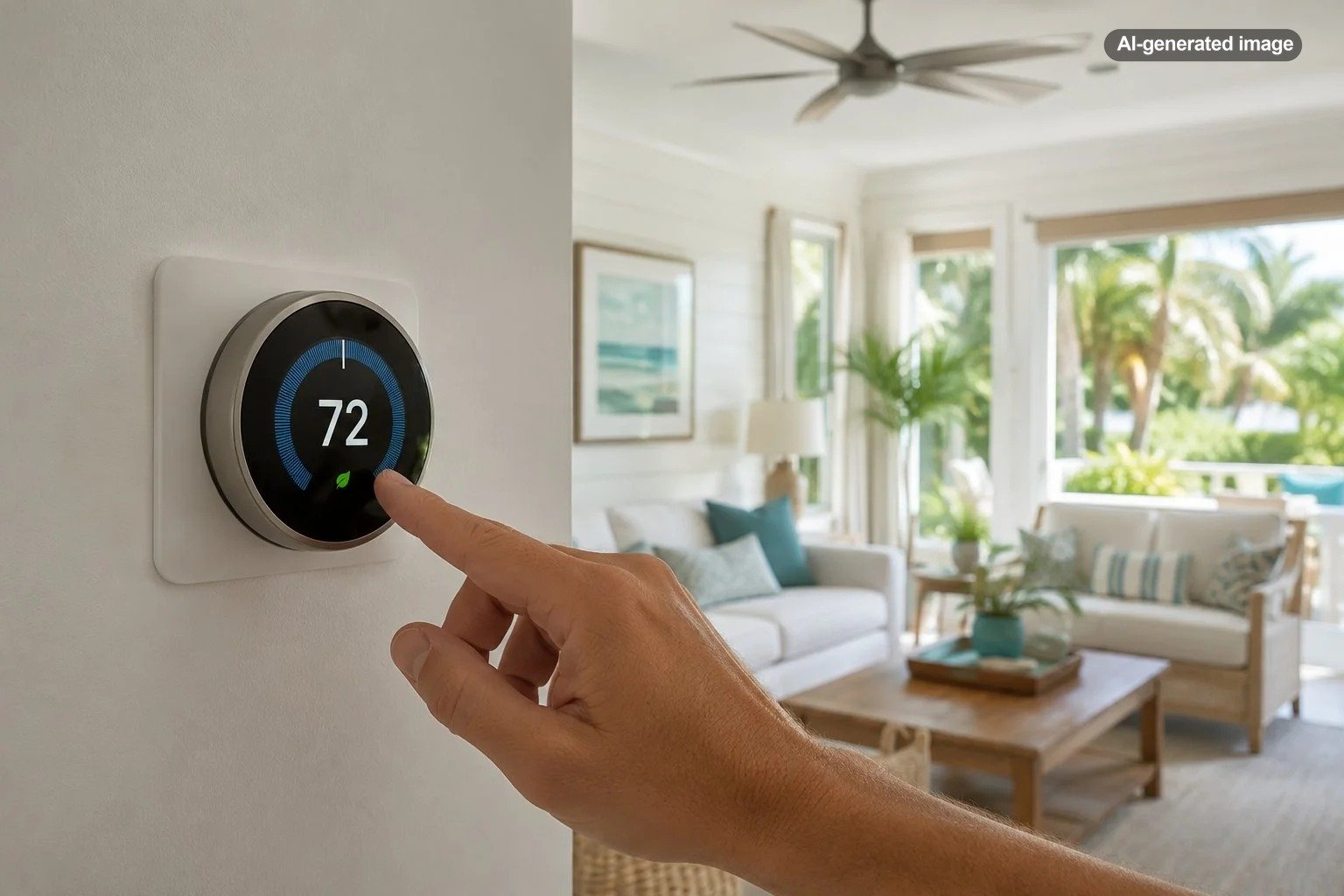
The supplied Google Nest model illustrates the appeal of a mainstream Wi-Fi thermostat: remote access and programmable control in a compact device. It should still be treated as a system-dependent option, not a universal replacement. Google’s compatibility guidance notes that thermostat requirements differ by HVAC configuration and that some installations need a C-wire or compatible power accessory.
Affiliate disclosure: CraneManor.com may earn a commission when you purchase through links on this page. This does not affect the price you pay. Learn more.
Homeowners considering a compatible smart thermostat should use the manufacturer’s compatibility checker before purchasing and seek professional help when the system has proprietary terminals, multiple transformers, complex zoning, or unfamiliar wiring. Compatibility should be established before appearance, app design, or voice-assistant features enter the decision.
Smart thermostat versus programmable thermostat
| Consideration | Smart thermostat | Programmable thermostat |
|---|---|---|
| Remote changes | Usually available through an app | Usually requires adjustment at the wall |
| Scheduling | May include learning, geofencing, or flexible routines | Uses a schedule entered manually |
| Usage information | May provide runtime histories and reports | Usually limited or unavailable |
| Internet dependence | Some features require Wi-Fi or cloud access | Generally operates without internet service |
| Setup complexity | Compatibility, power, apps, and accounts may add steps | Often simpler when replacing a similar control |
| Best fit | Variable routines, travel, second homes, and remote management | Predictable routines and homeowners who prefer simple controls |
A smart thermostat is not automatically superior. Someone who maintains the same schedule every day and never changes settings remotely may receive little additional benefit beyond a conventional programmable model. Simplicity can be a feature, especially for residents who dislike app accounts, software updates, or occupancy automation.
How to use one sensibly in a hot, humid climate
Start with a modest schedule rather than dramatic temperature swings. Observe whether the home remains comfortable and whether indoor humidity becomes troublesome during away periods. The appropriate settings depend on the building, HVAC design, occupancy, furnishings, and any moisture-sensitive contents; no single Florida temperature works for every property.
Review automation rules after the first few weeks. Geofencing can behave poorly when one person leaves while another remains home, while learning features may reproduce temporary adjustments that were never intended to become permanent. Vacation modes should also be checked carefully rather than activated with default assumptions.
Use runtime reports as a prompt for investigation, not proof of a fault or guaranteed savings. Longer operation may reflect hotter weather, more occupants, open doors, a changed schedule, a dirty filter, or equipment trouble. Compare patterns over time and arrange professional service when performance changes persist.
What to do
- Verify HVAC and wiring compatibility before buying.
- Document the existing wiring and settings before installation.
- Follow the thermostat and HVAC manufacturers’ instructions.
- Create a conservative cooling schedule for the first week.
- Check comfort, indoor humidity, and system behavior.
- Adjust occupancy and sensor rules only after observing how the household actually uses the home.
- Revisit schedules seasonally and after major routine changes.
Who is most likely to find it worthwhile?
A smart thermostat is a strong fit for full-time residents with irregular work schedules, families that frequently forget to change the setting, travelers who want remote control, and seasonal homeowners who need basic temperature visibility. It can also be useful for households interested in comparing runtime patterns or coordinating several compatible sensors.
It may be less compelling for a small home with even temperatures, a resident who already uses a programmable thermostat diligently, or an HVAC system whose proprietary controller provides more sophisticated equipment management. Renters should obtain permission before altering wiring or replacing a landlord-provided control.
The verdict
For the right Florida home, a smart thermostat can be worthwhile because it makes cooling control more consistent, visible, and adaptable. The value is greatest when remote access or automation corrects habits that currently waste cooling or create uncertainty while the house is vacant.
Buy for compatibility and useful controls, not novelty. Confirm the HVAC configuration, preserve important staging or humidity functions, choose conservative away settings, and remember that a thermostat manages the system; it does not repair it. When those pieces align, the upgrade can feel less like a gadget and more like a sensible part of the home’s cooling strategy.
Frequently asked questions
Will a smart thermostat automatically lower my electric bill?
No. Certified models are designed to support energy-saving operation, but actual results depend on previous settings, household behavior, climate, equipment, and configuration. A homeowner who already follows an efficient schedule may see less change than someone who routinely cools an empty house.
Can I install a smart thermostat myself?
Some straightforward low-voltage replacements are designed for homeowner installation. Stop and consult a qualified professional when wiring is unclear, the system uses proprietary controls, multiple transformers are present, or the thermostat manages complex heat-pump, zoning, ventilation, humidification, or dehumidification functions.
Does a smart thermostat control Florida humidity?
Not necessarily. Some thermostat and HVAC combinations support humidity-related features, while basic models primarily control temperature. Even a humidity-reading thermostat cannot compensate for moisture intrusion, improper equipment sizing, or mechanical deficiencies.
Will the thermostat work if Wi-Fi goes down?
Many models retain basic heating and cooling control at the wall, but app access, alerts, weather integration, and other connected functions may be unavailable. Confirm the behavior of the exact model before relying on it for a seasonal or remotely managed property.