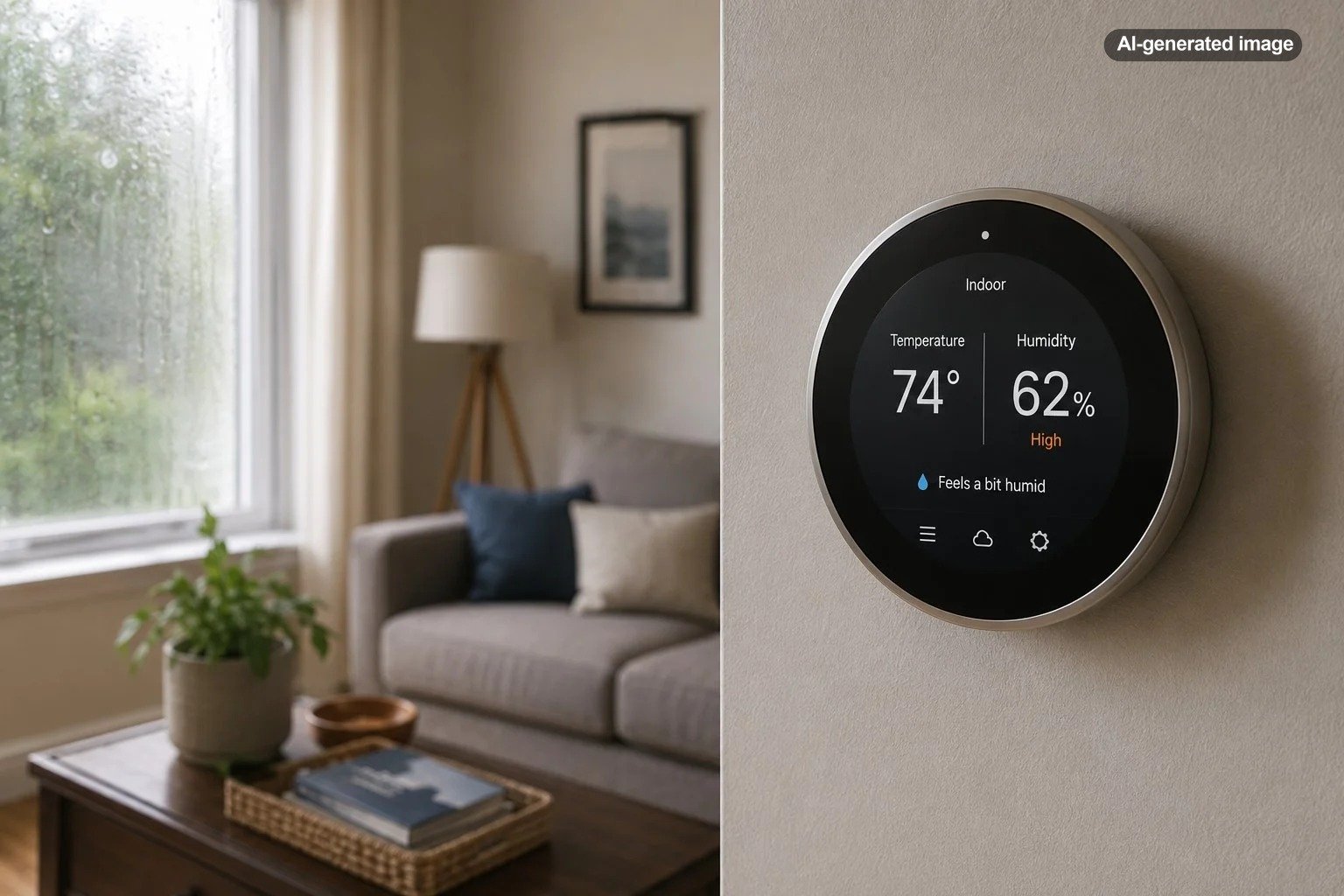
Can a Smart Thermostat Detect High Indoor Humidity?
Yes, a smart thermostat can detect high indoor humidity, but only if the specific thermostat includes a humidity sensor. That distinction matters because “smart” describes connectivity and automation, not a guaranteed set of environmental sensors. Some models measure relative humidity and show the current reading in an app or on the thermostat, while others focus mainly on temperature, scheduling, occupancy, and remote control.
How a smart thermostat measures indoor humidity
Humidity-capable thermostats use a sensor to measure relative humidity near the thermostat. Relative humidity describes how much moisture is in the air compared with the maximum amount the air can hold at that temperature. Because the reading is taken at one location, it should be treated as a useful snapshot of the area around the thermostat rather than a perfect map of every room.
Google, for example, lists humidity among the sensors in the Nest Thermostat. Google also documents a built-in humidity sensor in the Nest Learning Thermostat (4th gen), where indoor humidity can be used by certain comfort and humidity-management features. These examples show why checking the specifications for the exact model matters instead of assuming every smart thermostat measures humidity.
What counts as high indoor humidity?
The U.S. Environmental Protection Agency recommends controlling indoor moisture and keeping humidity below 60 percent, with 30 to 50 percent described as an ideal range. That does not mean every brief reading above 50 percent signals a serious problem. Cooking, showering, outdoor weather, open doors, and normal HVAC cycling can all cause temporary changes.
The more useful question is whether elevated humidity is persistent. If the thermostat repeatedly shows high readings over long periods, especially when the air conditioner is running normally, the pattern deserves attention. Consistently damp indoor conditions can also show up as window condensation, musty odors, slow-drying bathrooms, or moisture on cool surfaces.
| Thermostat reading | What it may suggest | Sensible next step |
|---|---|---|
| Brief rise after showering or cooking | Normal moisture load | Use local exhaust and watch whether the level comes back down |
| Higher readings only in very humid weather | Outdoor moisture may be influencing the home | Keep doors and windows closed when appropriate and monitor HVAC performance |
| Repeatedly high readings for many hours | The home may not be removing moisture effectively | Check ventilation, HVAC operation, and possible moisture sources |
| High reading plus visible moisture damage | A water or building-system issue may be present | Investigate promptly and consider qualified professional evaluation |
Can the thermostat lower humidity automatically?
Sometimes. A thermostat can only control the equipment and functions that the HVAC system actually supports. Google documents a feature called Cool to Dry for compatible Nest configurations, where the thermostat can use an air conditioner or heat pump to help reduce excessive humidity. Google also notes that humidity-control behavior differs depending on whether the HVAC system has its own dehumidification mode.
A thermostat connected to a whole-home dehumidifier may have more direct control, but that depends on the thermostat model, available terminals, wiring, equipment configuration, and manufacturer-supported setup. The Nest Learning Thermostat (4th gen), for example, includes specific humidity-management options for configured humidifiers and dehumidifiers. Other thermostats may simply report humidity without directly controlling separate moisture equipment.
Affiliate disclosure: CraneManor.com may earn a commission when you purchase through links on this page. This does not affect the price you pay. Learn more.
If remote access and humidity awareness are part of your HVAC goals, a compatible smart thermostat can make it easier to review and adjust supported settings while you are away. Verify HVAC and wiring compatibility before purchase or installation, because no thermostat is universal.
A humidity number becomes useful when you watch the pattern, not just the peak.
Why the thermostat reading may not match another room
Thermostat placement affects what the sensor sees. A hallway thermostat may read differently from a steamy bathroom, a sun-warmed bedroom, a finished basement, or a room with weak airflow. Closed doors and uneven duct distribution can create meaningful differences across the same home.
For that reason, a surprising thermostat reading is worth comparing with conditions elsewhere. A separate hygrometer can help confirm whether the reading is local or whole-house. If multiple devices in different areas all show elevated humidity, the evidence for a broader moisture-control problem becomes stronger.
What to check when humidity stays high
Persistent high humidity is best approached as a troubleshooting problem rather than a thermostat-setting problem. Start with simple, observable causes before assuming the HVAC system has failed.
What to do
- Confirm the pattern. Note the humidity level at different times of day and whether it falls during longer cooling cycles.
- Reduce obvious moisture sources. Run bathroom and kitchen exhaust fans during moisture-producing activities, and address plumbing or building leaks promptly.
- Check doors and windows. In humid weather, repeated outdoor-air entry can raise indoor moisture.
- Look at HVAC behavior. If the system cools the house very quickly but humidity remains high, note that pattern for a technician. Humidity removal depends on equipment operation, airflow, capacity, and runtime.
- Compare another sensor. Use a separate hygrometer in the same area and then in a problem room to see whether the thermostat reading is representative.
- Escalate when needed. If high humidity persists or is accompanied by leaks, visible damage, condensation in unusual places, or recurring mold growth, seek qualified evaluation rather than relying on thermostat adjustments alone.
Common mistakes when using a thermostat to judge humidity
One common mistake is treating a single reading as a diagnosis. A thermostat can tell you that the air around it is humid, but it cannot determine whether the cause is weather, cooking, a bathroom moisture load, air leakage, HVAC sizing, duct conditions, a plumbing leak, or another source.
Another mistake is lowering the temperature aggressively in hopes that the air conditioner will solve the problem. Some systems may remove more moisture during longer cooling operation, but excessive cooling is not a universal dehumidification strategy. It can reduce comfort, waste energy, and still leave the underlying moisture source unresolved.
It is also easy to assume that a smart thermostat can operate a dehumidifier simply because both devices are part of the home. Control requires compatible equipment, wiring, configuration, and thermostat support. Manufacturer documentation should be the deciding source for what a particular thermostat and HVAC combination can actually do.
What to look for when choosing a humidity-aware smart thermostat
If humidity monitoring matters to you, start by confirming that the exact thermostat model has a humidity sensor. Then check whether the manufacturer exposes the current humidity reading in the app or on the device, whether it supports humidity-based automation, and whether it can control any humidifier or dehumidifier equipment you already have.
Before you decide
- Confirm a built-in humidity sensor is listed in the specifications.
- Check compatibility with your heating and cooling system and wiring.
- Find out whether humidity is display-only or can trigger supported HVAC actions.
- If you have a whole-home humidifier or dehumidifier, verify that the thermostat supports that equipment specifically.
- Check whether remote humidity viewing is available in the manufacturer’s app.
- Do not assume a smart thermostat replaces a dedicated dehumidifier in a humid home.
FAQ
Will every smart thermostat show indoor humidity?
No. Smart thermostats vary by model. Some include humidity sensors, while others do not. Always check the official specifications for the exact thermostat you are considering.
Can a smart thermostat alert me when humidity is high?
Some models and apps can use humidity information for controls, automation, or notifications, but the available behavior is model-specific. Check the manufacturer’s current support documentation before buying for that feature.
Is a thermostat humidity sensor accurate enough to trust?
It is useful for monitoring trends near the thermostat, especially when the reading is consistent over time. If a reading seems surprising or an individual room feels different, compare it with a separate hygrometer before making major HVAC decisions.
Does high humidity mean I need a dehumidifier?
Not necessarily. First look for temporary moisture sources, ventilation issues, open doors or windows, leaks, and HVAC operating patterns. A dehumidifier can be appropriate in some homes, but persistent humidity problems should be understood before equipment is added.