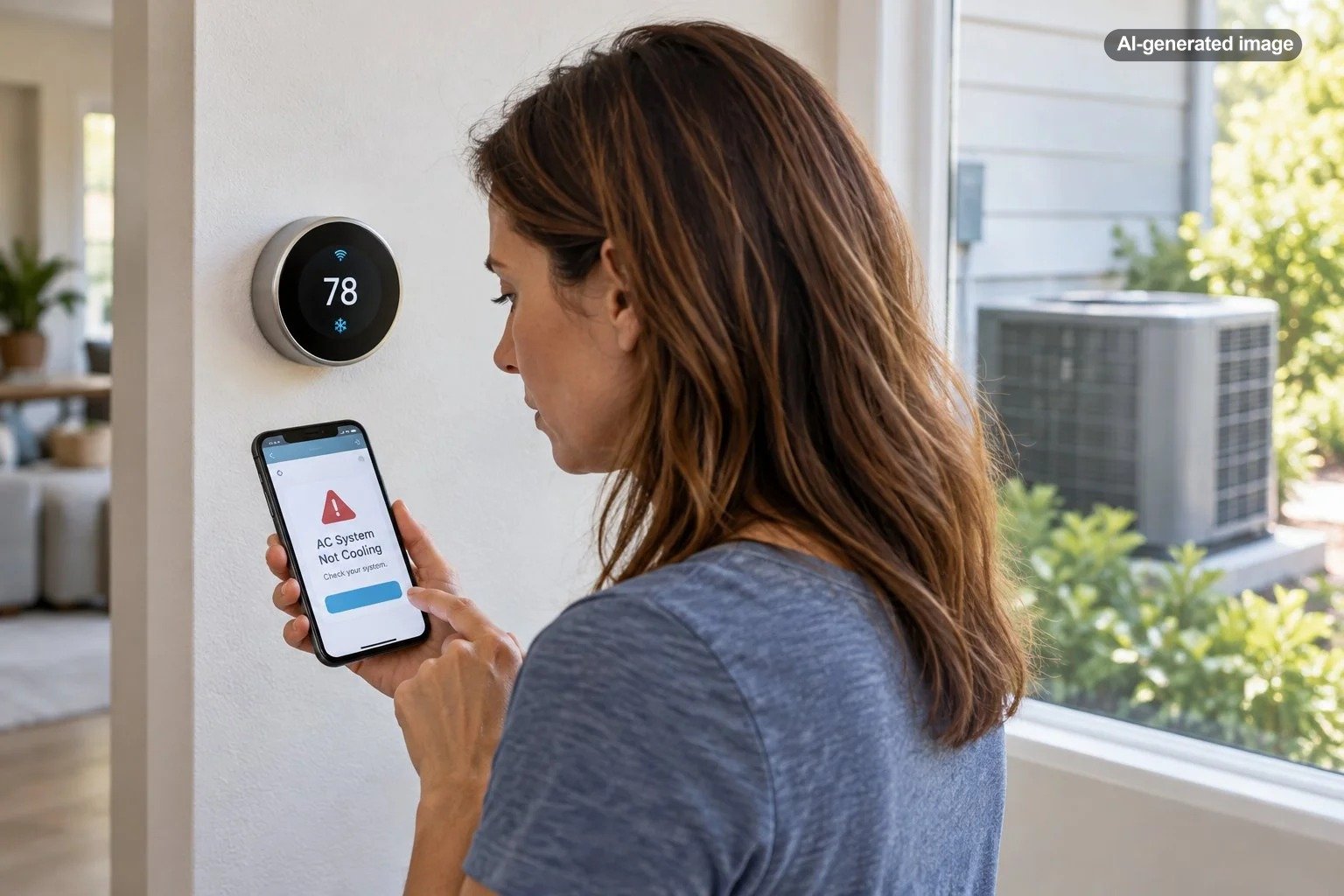
Can a Smart Thermostat Alert You if the AC Stops Working?
Yes, some smart thermostats can alert you when your air conditioner stops cooling properly, but the warning is not necessarily immediate or guaranteed. Depending on the thermostat, you might receive a notification when the indoor temperature rises beyond a configured limit, when the cooling system runs unusually long, or when the thermostat detects behavior suggesting an HVAC problem. The important distinction is that a smart thermostat can recognize certain symptoms of AC failure without knowing exactly which component has failed.
That difference matters when you are away from home, sleeping, or simply assuming the air conditioner is keeping up. A useful alert might give you time to investigate a cooling problem before indoor temperatures become uncomfortable. However, not every Wi-Fi thermostat provides automatic equipment monitoring, and even advanced models can miss failures.
How Does a Smart Thermostat Know the AC Is Not Working?
A conventional thermostat primarily measures temperature and tells the cooling system when to operate. A smart thermostat can also track temperature changes over time, operating behavior, and, on certain models, patterns that suggest the equipment is not responding normally.
Imagine that your thermostat is set to 74 degrees Fahrenheit. The indoor temperature reaches 78 degrees, and the thermostat continues requesting cooling. That situation does not automatically prove the air conditioner is broken. Outdoor heat, an open door, unusual humidity, or increased sunlight could be contributing factors.
But if the thermostat detects a sustained failure to cool under conditions its monitoring system considers abnormal, it may generate an alert.
Cooling performance monitoring
Some thermostats evaluate whether the indoor temperature is changing as expected while the cooling equipment operates. Google’s Nest System Health Monitor, for example, can identify certain situations in which an air conditioner fails to cool the home or runs longer than usual.
These alerts depend on the eligible thermostat, HVAC configuration, monitoring rules, and the behavior detected. They should not be interpreted as continuous confirmation that every cooling component is functioning correctly.
High-temperature thresholds
Another approach is to monitor whether indoor temperatures exceed a defined threshold. A thermostat or connected monitoring system with this feature may notify you when the house becomes unusually warm.
This approach can identify a potentially serious indoor temperature problem without diagnosing its cause. The thermostat might detect excessive heat whether it results from equipment failure, an incorrect operating mode, a power interruption, or environmental conditions.
Power and equipment warnings
Some smart thermostats recognize certain electrical or equipment communication problems. A thermostat might report lost power, an equipment connection problem, or an abnormal operating pattern.
However, a thermostat remaining online does not prove that the outdoor condenser is operating correctly. Depending on the HVAC system and its wiring, the thermostat may continue displaying normal information even while a separate component has stopped functioning.
What Types of AC Problems Can Trigger an Alert?
It helps to distinguish an actual cooling-system warning from an ordinary thermostat notification. The following situations illustrate what different monitoring features may identify.
| Situation | Possible alert | Important limitation |
|---|---|---|
| AC runs but indoor temperature does not fall | Cooling-performance or system-health warning | Depends on monitoring support and detection thresholds |
| Indoor temperature becomes unusually high | High-temperature or safety-temperature notification | May identify excessive heat without explaining why |
| Cooling system runs longer than expected | Unusual runtime or early-warning alert | Extended runtime can also reflect normal high cooling demand |
| Thermostat loses electrical power | Power or connectivity warning, where supported | Complete power or network loss may prevent delivery |
| Outdoor AC equipment fails while thermostat remains powered | Possible cooling-performance warning | The thermostat may not identify the failed component |
These are possible monitoring behaviors, not features available on every smart thermostat. The manufacturer’s documentation should identify which warnings a particular model actually supports.
Will the Thermostat Alert You Immediately When the AC Stops?
Not necessarily. An AC failure alert is often based on observed behavior rather than an instantaneous mechanical fault signal.
If a compressor stops working, for example, the thermostat may need time to recognize that the house is not cooling as expected. A notification might be delayed until the temperature trend or abnormal operating pattern meets the manufacturer’s criteria.
Some alerts are intended for urgent problems, while others identify developing issues that are not considered immediately critical. Google Nest’s System Health Monitor distinguishes urgent alerts from early warnings, and those categories can operate on different notification timelines.
There is also a difference between detecting an AC problem and noticing its consequences. A high-temperature warning may not activate until the indoor temperature crosses a specific threshold, even if the equipment stopped cooling considerably earlier.
What Happens if the Wi-Fi or Power Goes Out?
This is one of the most important limitations of remote AC monitoring. A thermostat may detect a problem locally but still be unable to send a notification if the necessary internet connection is unavailable.
Google specifically notes that certain Nest compressor and safety-temperature notifications require working Wi-Fi and internet service. If the connection fails at the wrong time, the homeowner may not receive the warning.
There are several distinct failure scenarios:
- Wi-Fi interruption: The thermostat may retain some local temperature-control functions, depending on its design, but remote notifications can stop working.
- Internet service outage: A locally connected thermostat may be unable to communicate with its cloud-based notification service.
- Whole-home power outage: The air conditioner, thermostat, router, and other equipment may lose power. Notification behavior depends on which devices and connections remain operational.
- Thermostat power loss: A device that becomes completely unpowered may not be able to report its own failure.
Some smart-home systems can provide device-offline notifications, but those notifications should not be confused with confirmed AC failure detection. If a property requires especially dependable temperature protection, consider monitoring arrangements designed to account for connectivity and power interruptions.
How to Set Up Smart Thermostat Alerts Before Something Goes Wrong
Simply installing a Wi-Fi thermostat and downloading its app may not be enough. Notification settings, eligible equipment, smartphone permissions, and network reliability all matter.
What to do
- Identify the exact thermostat model. Check the device information and official manufacturer documentation to determine whether HVAC health monitoring, high-temperature alerts, or both are supported.
- Confirm HVAC compatibility. Make sure the thermostat is properly configured for your actual cooling equipment. Incorrect equipment settings can interfere with normal operation and monitoring.
- Review the manufacturer’s app. Look for system-health monitoring, equipment notifications, cooling alerts, or temperature safety settings. Menu names vary by model and software version.
- Enable relevant notifications. Allow notifications through the thermostat app and your phone’s operating-system settings. Check whether alert categories can be individually enabled or disabled.
- Review temperature limits. If configurable alerts are supported, choose thresholds appropriate for your household, climate, pets, and property needs. Do not assume a default value is suitable.
- Confirm the connection. Check that the thermostat appears online in its app and that remote temperature readings update as expected.
- Verify the setup. Use manufacturer-supported notification tests where available and periodically review settings after app updates or equipment changes.
A remote app check confirms access to information, but it does not prove that every future equipment failure will generate a notification. Avoid intentionally disabling cooling for extended periods simply to force a failure alert.
Can a Smart Thermostat Tell You Exactly What Is Broken?
Usually not. Even a sophisticated thermostat primarily observes the signals and temperature behavior available to it. That is different from inspecting refrigerant pressures, compressor operation, electrical components, or the physical condition of the cooling system.
Suppose the thermostat detects that the house is getting warmer while cooling is requested. Possible explanations include restricted airflow, an outdoor unit problem, a cooling-system shutdown, improper settings, or another mechanical or electrical fault.
Some monitoring systems identify more specific patterns. Google’s Compressor Heads-up feature, for example, looks for abnormal temperature behavior associated with potential compressor or heat-pump problems. But an alert is still a reason to investigate, not a definitive diagnosis that a compressor needs replacement.
A qualified HVAC technician may need to inspect the system to identify the underlying cause and determine the appropriate repair.
What Should You Do When an AC Failure Alert Appears?
Start by determining whether the problem is an uncomfortable temperature, an incorrect thermostat setting, a communication issue, or an actual cooling-system malfunction.
First, check the current indoor temperature and target temperature. Confirm that cooling mode is selected and that the system is not following an unexpected schedule or away setting.
Next, consider ordinary household conditions. An open exterior door, unusually high outdoor temperatures, or substantial solar heat gain may explain why the home is cooling more slowly than expected.
If you are home, check whether conditioned air is coming from the supply vents. Look for an obviously clogged air filter, following the equipment manufacturer’s instructions. A blocked filter can restrict airflow and contribute to performance problems.
If the cooling system appears completely unresponsive, you may inspect the electrical panel for a clearly tripped breaker without opening equipment cabinets. Do not repeatedly reset a breaker that trips again. Recurring trips warrant professional attention.
A thermostat alert should not prompt homeowners to open electrical compartments, bypass safety switches, handle refrigerant, or attempt compressor repairs.
Is a Smart Thermostat Enough for a Vacation Home or an Empty House?
A smart thermostat can be particularly useful when nobody is present to notice that the air conditioner is struggling. However, unattended properties create additional risks because a problem may continue for hours or days without someone checking the building.
For an occasionally occupied home, a sensible monitoring plan may combine a compatible smart thermostat with a separate temperature-monitoring device and reliable communications. Some independent monitors offer high-temperature alerts, connectivity monitoring, or alternative communication arrangements, but their capabilities vary considerably.
For homes containing sensitive belongings, temperature-sensitive supplies, or occupants who depend on reliable cooling, monitoring should be chosen according to the consequences of a failure rather than convenience alone.
In humid regions, temperature monitoring is also not the same as humidity monitoring. A system could maintain a tolerable temperature while indoor humidity becomes undesirable. If moisture control is an important concern, evaluate humidity readings and alerts separately.
What Should You Look for When Choosing a Smart Thermostat?
Not every smart thermostat needs advanced system diagnostics. If your main goal is adjusting the temperature from your phone, a relatively simple connected model may be sufficient. If your goal is learning about cooling problems while you are away, the selection criteria become more demanding.
Before you decide
- Does the exact model support cooling-performance alerts, or only remote temperature adjustments?
- Can it notify you when indoor temperatures exceed a threshold?
- Are HVAC monitoring features compatible with your system type and available in your region?
- Does it require specific thermostat wiring or a common wire?
- How are notifications delivered, and what happens when the internet connection fails?
- Can multiple household members receive important alerts?
- Does the manufacturer explain what its monitoring can and cannot detect?
These questions are especially important when replacing an older thermostat. An attractive interface and convenient scheduling features are not substitutes for the specific alerts you need.
Affiliate disclosure: CraneManor.com may earn a commission when you purchase through links on this page. This does not affect the price you pay. Learn more.
For homeowners primarily interested in connected temperature management, the Google Nest Thermostat is one option to evaluate for remote control and compatibility with an existing HVAC system. Before purchasing, verify wiring requirements, equipment compatibility, and the precise notification features supported by that model. Do not assume every Nest thermostat provides identical system-health functions.
Can You Prevent AC Breakdowns With Smart Thermostat Monitoring?
A smart thermostat may help identify an emerging problem, but it cannot reliably prevent mechanical failures or substitute for routine HVAC care.
Maintenance remains important because many cooling problems develop outside the thermostat’s field of observation. Dirty filters, airflow restrictions, neglected outdoor equipment, and aging electrical components can affect system performance before a monitoring algorithm recognizes anything unusual.
The U.S. Department of Energy recommends regular air-filter attention and appropriate air-conditioner maintenance. Homeowners should follow their specific equipment instructions and arrange professional service when needed.
It is also worth reviewing the thermostat’s temperature history occasionally. If the system repeatedly struggles to reach its target under ordinary conditions, that pattern deserves attention even when no automatic warning appears.
Frequently Asked Questions
Can a smart thermostat alert me if my AC stops working while I am away?
Yes, if the thermostat supports applicable cooling-system or temperature alerts and can communicate with its notification service. An active internet connection is commonly required. Notification timing and detection accuracy depend on the model and the problem.
Will a smart thermostat know if the outdoor AC unit stops running?
It may recognize that indoor cooling performance has become abnormal, but it generally cannot confirm the mechanical condition of the outdoor unit from temperature readings alone. Some failures may go undetected.
Can I receive an alert when my house gets too hot?
Some thermostat models support high-temperature or safety-temperature notifications. Others provide only temperature readings and remote adjustments. Check whether alerts are configurable and whether they require specific settings or subscriptions.
Does a smart thermostat need Wi-Fi to keep the AC running?
Many compatible smart thermostats can continue basic local temperature control during an internet outage, provided they retain electrical power and the HVAC system is functional. Remote access, cloud services, and notifications may be unavailable. Exact offline behavior depends on the manufacturer and model.
Should I install a separate temperature alarm?
A separate monitor may be worthwhile when dependable temperature awareness is particularly important, such as in a vacation property or a home with vulnerable occupants. Look closely at whether the additional monitor relies on the same power supply and internet connection, since two devices sharing the same failure points do not necessarily provide meaningful redundancy.
The Bottom Line
A smart thermostat can alert you to some air-conditioning failures, and that added visibility can be genuinely useful. The strongest solutions combine appropriate cooling-performance monitoring, temperature alerts, dependable connectivity, and clearly understood limitations.
The crucial question is not simply whether a thermostat is smart. It is whether the specific thermostat can recognize the cooling problems you care about and successfully notify you when something goes wrong. Choose those capabilities deliberately, verify the setup, and continue treating professional HVAC maintenance as an essential part of keeping the house comfortable.