Will a Smart Thermostat Remember Settings After Losing Power?
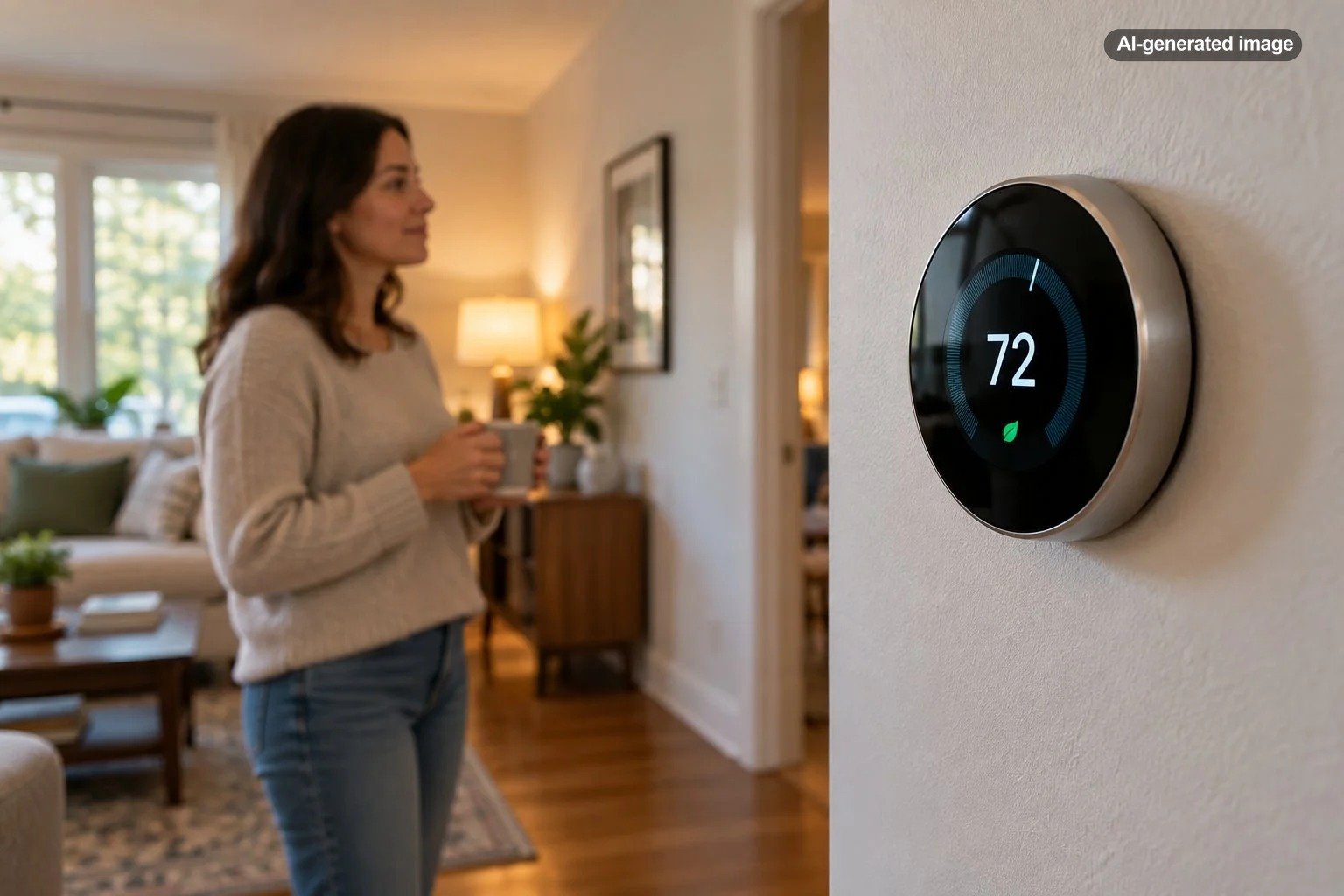
Most smart thermostats will remember their temperature settings and programmed schedules after losing power. A brief outage usually does not erase everything you carefully configured, and many models resume their previous operation when electricity returns. However, remembering a setting is not quite the same as immediately returning to normal operation. A thermostat may need time to restart, reconnect to Wi-Fi, synchronize its clock, or restore communication with the heating and cooling system.
The precise behavior depends on the thermostat model, its power source, and whether the outage also affected the HVAC equipment or internet connection. Understanding those differences can save you from unnecessarily resetting a perfectly functional thermostat.
What Happens to a Smart Thermostat When the Power Goes Out?
Many smart thermostats receive operating power through low-voltage wiring connected to the home’s HVAC system. If the equipment loses electricity, the thermostat may shut down, display a power warning, or temporarily operate using a battery, depending on its design.
Other models use replaceable batteries or internal rechargeable batteries. Those batteries can support particular functions during a disruption, but they do not necessarily provide enough power to operate the home’s furnace, air conditioner, or heat pump.
When household electricity returns, the thermostat and HVAC equipment may go through separate startup processes. The thermostat might illuminate before the heating or cooling equipment is ready to respond. Some systems also incorporate protective delays that prevent immediate compressor operation.
In a typical outage, the important distinction is between stored information and active operation. The thermostat can remember what it was supposed to do even when it temporarily cannot do it.
Which Smart Thermostat Settings Usually Stay Saved?
Modern thermostats commonly store configuration information in memory designed to survive ordinary interruptions in electrical power. That makes it possible to preserve schedules and preferences without requiring homeowners to program everything again after every thunderstorm.
| Setting or function | What usually happens after power returns |
|---|---|
| Target temperature | Often returns to the previously saved value or resumes the scheduled setting. |
| Heating and cooling mode | Generally remains configured, although the actual equipment may restart separately. |
| Programmed schedule | Usually remains stored, but correct operation may depend on the thermostat knowing the time. |
| Wi-Fi credentials | Generally remain saved, allowing reconnection when the network becomes available. |
| Clock and date | May require automatic synchronization or manual correction, depending on the model. |
| Remote app control | Usually returns after the thermostat, router, and internet connection recover. |
| Temporary temperature hold | Behavior varies by thermostat model, hold type, and schedule configuration. |
These are common behaviors rather than guarantees for every thermostat. Manufacturer documentation provides the most reliable answer for a specific model.
For example, Honeywell Home states that supported thermostats retain their temperature setpoints and schedules after losing power. Certain models may need to restore the correct time before following those schedules normally.
Can a Power Outage Erase a Thermostat’s Schedule?
A normal power interruption should not erase the schedule on most modern smart thermostats. However, there are several situations in which the schedule may appear to have disappeared or stopped working.
The thermostat has the wrong time
A thermostat might preserve every scheduled temperature but lose its accurate clock during an outage. If it believes the current time is different from the actual time, scheduled temperature changes may occur unexpectedly.
This is particularly important for thermostats that are not connected to the internet. Some models obtain the correct time automatically after reconnecting, while others require manual adjustment.
A temporary hold has ended
Some thermostats allow a temporary temperature override until the next scheduled event. Others offer permanent holds or different types of manual overrides.
After an interruption, a temporary hold may have expired while power was unavailable. The thermostat may then return to its regular schedule, making it appear as though it forgot the temperature you selected before the outage.
A learning feature changed the expected temperature
Certain smart thermostats can automatically adjust their schedules based on household routines, detected occupancy, or temperature preferences. These features can create changes that are easy to mistake for a memory problem.
For example, compatible Google Nest models offer scheduling features that can learn from adjustments or suggest changes. When an unexpected temperature appears, checking the active schedule and learning settings may reveal the explanation.
Will a Smart Thermostat Reconnect to Wi-Fi Automatically?
In many cases, yes. Smart thermostats commonly remember their Wi-Fi network credentials and attempt to reconnect when the network becomes available again.
However, the thermostat cannot reconnect until the router has restarted and the local network is functioning. If the internet service provider is still experiencing an outage, the thermostat may remain offline in its companion app even though household electricity has returned.
Google’s Nest support documentation explains that thermostats can lose app connectivity while retaining the ability to adjust temperatures directly from the device. It also recommends checking battery status, network connectivity, and router conditions when reconnection fails.
For a homeowner, this creates two different troubleshooting questions:
- Can the thermostat control the HVAC equipment from the wall? If yes, the primary temperature-control function may still be available.
- Can the thermostat communicate with the phone app? If not, the problem may be limited to Wi-Fi, internet service, account connectivity, or the thermostat’s available power.
These situations should not automatically be treated as the same failure.
What to Check After Electricity Returns
When power is restored, resist the temptation to immediately delete the thermostat from its app or start changing wiring connections. A short, orderly inspection is usually more useful.
Post-outage thermostat checklist
- Confirm the house has stable electricity. Check whether lights and other household devices are operating normally. Avoid electrical equipment that shows signs of damage.
- Allow the thermostat to complete its startup. Some devices need additional time to initialize or recover sufficient battery charge.
- Read the thermostat display. Look for a blank screen, low-battery warning, power error, or network message.
- Verify the operating mode. Confirm whether the thermostat is set to Heat, Cool, Auto, or Off, as appropriate for your equipment.
- Check the target temperature. Compare the displayed setting with what you expect from your normal schedule.
- Review the clock and schedule. Make sure scheduled changes correspond to the correct time and day.
- Check Wi-Fi and app connectivity. Verify that the router and internet connection have recovered before troubleshooting the thermostat’s network settings.
- Observe normal HVAC operation. If the thermostat calls for heating or cooling, allow for manufacturer-specified equipment delays and check whether the system responds normally.
If the thermostat looks normal and the system responds as expected, there is usually no reason to reset its programming merely because an outage occurred.
Why Might a Thermostat Display the Wrong Temperature After an Outage?
One common source of confusion is the difference between the current room temperature and the selected target temperature.
Suppose the thermostat was set to cool the home to 74 degrees before an afternoon outage. The air conditioner stops operating for several hours, and the indoor temperature rises to 81 degrees. Once power returns, the thermostat may still display a cooling target of 74 degrees alongside a current temperature of 81 degrees.
That does not mean the thermostat forgot its settings. It means the house warmed while the cooling system was unavailable.
The same principle applies during a winter outage. A thermostat may remember its heating setting perfectly even though the home cooled while the furnace or heat pump could not operate.
What If the Thermostat Has Power but the Heating or Cooling Will Not Start?
A working thermostat display does not prove that the HVAC equipment has full operating power. The thermostat, indoor air handler or furnace, and outdoor cooling equipment may depend on different electrical circuits or protective devices.
Several possibilities deserve consideration:
- The thermostat has restarted, but part of the HVAC equipment remains without power.
- The equipment is observing a protective restart or compressor delay.
- A low-voltage power issue is preventing the thermostat from communicating properly.
- A furnace, heat pump, or air-conditioning system has registered a fault that requires service.
- The outage coincided with an unrelated HVAC equipment problem.
Check the thermostat for manufacturer-specific error messages and follow its documented troubleshooting instructions. If a breaker has tripped, use appropriate electrical-safety precautions and do not repeatedly reset a breaker that trips again.
If the thermostat stays blank, repeatedly restarts, displays a persistent power error, or cannot operate the HVAC system after normal startup delays, a qualified HVAC technician can evaluate the thermostat’s power supply and connected equipment.
Do Battery-Powered Smart Thermostats Work During an Outage?
Battery operation varies considerably between thermostat designs. Some models use replaceable batteries for their normal operation, while others rely primarily on HVAC wiring and use internal batteries for limited backup functions.
Even when the thermostat display continues operating, that does not mean the home’s heating and cooling equipment has backup electricity.
A battery-powered thermostat may retain its schedule and continue displaying information throughout the outage while the furnace or air conditioner remains unavailable. A different model may shut its display down to conserve power.
For wired smart thermostats, power arrangements also depend on HVAC compatibility. Some installations provide continuous power through a common wire, often called a C-wire. Other supported configurations use different power-management methods.
These details matter when selecting a replacement thermostat. A reliable power connection can be particularly important for devices using Wi-Fi, illuminated displays, and additional smart features.
Can You Make a Smart Thermostat More Reliable During Power Interruptions?
There is no need to redesign a home’s heating and cooling system solely because an ordinary outage briefly disconnected its thermostat. Still, homeowners who experience repeated power interruptions can benefit from understanding their system’s limitations.
Keep the thermostat’s software and network configuration current
Follow the manufacturer’s instructions for available software updates, compatible network settings, and battery maintenance. If the thermostat requires replaceable batteries, check them according to its documentation rather than waiting for repeated low-power problems.
Know how to adjust the temperature manually
Phone-based control is convenient, but it should not be the only way household members know how to change the temperature. Learn how to select heating or cooling modes and adjust the setpoint using the wall thermostat.
This is especially helpful when internet service remains unavailable after electricity returns.
Choose a compatible device when replacing an older thermostat
Affiliate disclosure: CraneManor.com may earn a commission when you purchase through links on this page. This does not affect the price you pay. Learn more.
If a current thermostat frequently loses connectivity or has limited scheduling features, a replacement may offer a more convenient interface and remote management options. For example, a Wi-Fi-enabled thermostat such as the Google Nest Thermostat can provide app-based temperature adjustments when installed with a compatible HVAC system and functioning internet connection.
However, replacing a thermostat does not prevent utility outages, and no smart thermostat is universally compatible with every heating and cooling system. Verify wiring, voltage, system type, and manufacturer requirements before purchasing or installing a replacement.
Understand the limits of backup power
Providing backup electricity to a router or thermostat alone does not necessarily keep heating and cooling equipment running. The HVAC system itself needs a suitable, properly designed power source.
Whole-home backup arrangements and equipment circuits involve electrical and installation considerations that should be evaluated by qualified professionals. Never connect a portable generator to household wiring through an improvised connection.
Frequently Asked Questions
Will unplugging or turning off power to a smart thermostat erase its settings?
Most modern smart thermostats preserve their saved configuration during ordinary interruptions. However, temporary overrides, clock information, and startup behavior vary. Consult the manufacturer’s instructions before intentionally disconnecting or servicing a thermostat.
How long does a smart thermostat take to work after a power outage?
There is no universal recovery time. The thermostat may restart quickly, while Wi-Fi equipment, internet access, and the HVAC system recover on different schedules. Some heating and cooling equipment also imposes protective startup delays. Follow the manufacturer’s guidance if operation does not resume.
Will a smart thermostat still work without Wi-Fi?
Many models can continue basic temperature control directly from the thermostat when they have power and are disconnected from Wi-Fi. Remote app features and certain connected functions may be unavailable. Exact capabilities depend on the device.
Does a power outage automatically reset a Google Nest thermostat?
A routine outage should not be confused with intentionally performing a factory reset. Nest devices may need to recharge or reconnect after losing power, and their recovery behavior depends on the model. A factory reset is a separate action that can remove custom settings.
Should you reset the thermostat if it is offline after an outage?
Not immediately. First verify the thermostat’s power, the router, the internet connection, and any on-screen messages. A restart or network troubleshooting may be appropriate, but a factory reset should generally be reserved for circumstances specified by the manufacturer.
The Bottom Line
A smart thermostat will usually remember its settings after losing power. The larger question is whether the thermostat, internet connection, and HVAC equipment can all resume normal operation when electricity returns.
Checking the schedule, time, operating mode, target temperature, and network connection will resolve many apparent memory problems. When the thermostat reports power faults or the heating and cooling equipment does not respond after normal recovery, professional evaluation is more appropriate than repeatedly resetting the device.
A well-configured smart thermostat should make daily climate control easier, including the day after an inconvenient outage. The key is knowing which functions rely on saved memory, which rely on connectivity, and which still depend on a working HVAC system.
Sources & Further Reading
- Honeywell Home: What Happens to Thermostat Settings During a Power Outage?
- Honeywell Home: Thermostat Frequently Asked Questions
- Google Home and Nest Help: Troubleshoot Your Nest Thermostat Is Offline
- Google Home and Nest Help: Nest Thermostat Settings
- Google Home and Nest Help: Change Nest Thermostat Wi-Fi Network
- Google Home and Nest Help: Temperature Schedules for the Nest Thermostat