Why Does My Ceiling Fan Move Very Little Air?
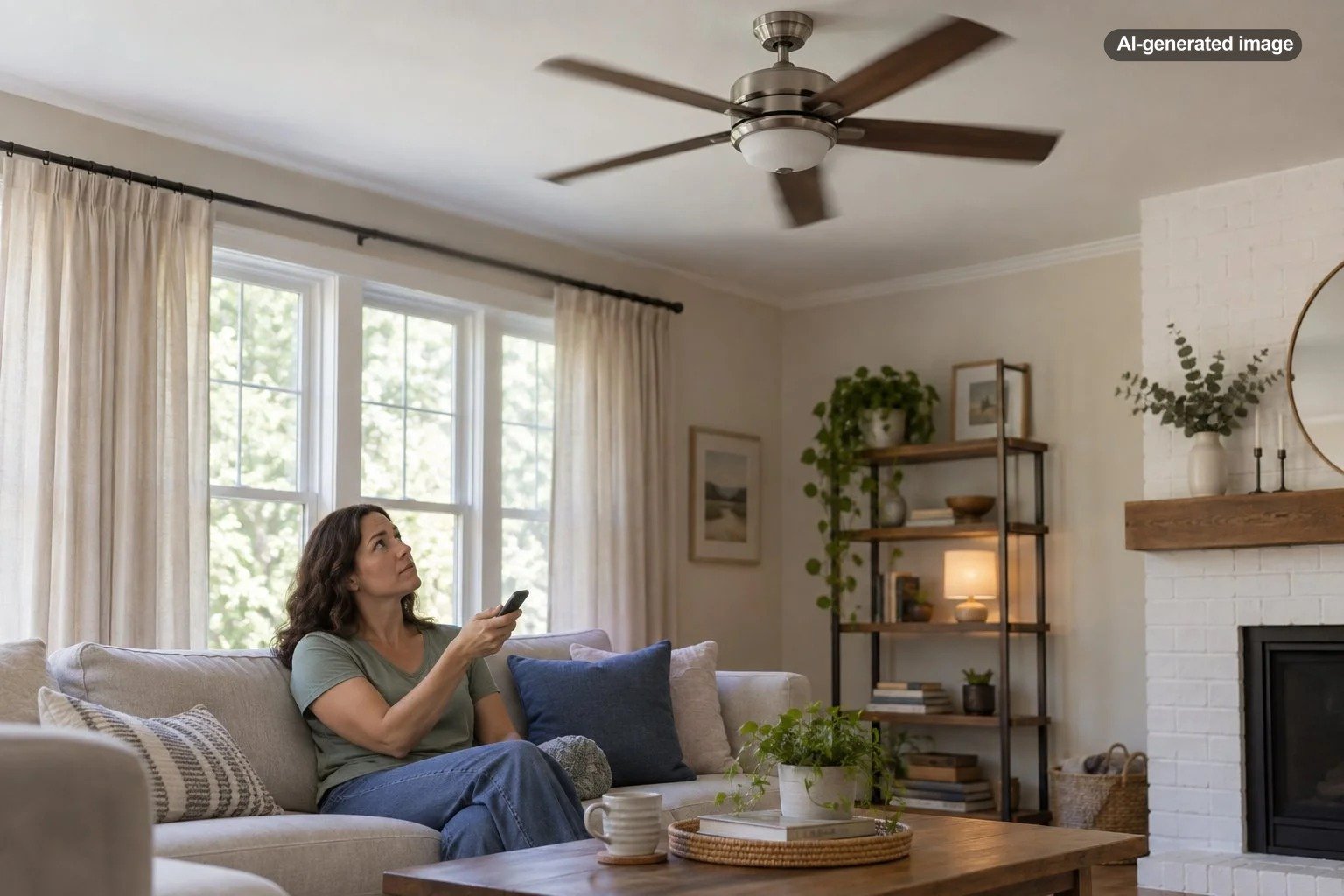
If your ceiling fan is spinning but barely creating a breeze, the problem is often simpler than it appears. The fan may be rotating in the wrong direction, running below its intended speed, sitting too close to the ceiling, or using blades that are poorly positioned for moving air. In other cases, weak airflow can point to a fan that is undersized, dirty, damaged, or developing a motor or control problem.
The useful distinction is whether the fan is spinning normally but moving little air or whether it is also spinning unusually slowly, humming, wobbling, stopping intermittently, or behaving differently than it once did. The first group of problems is often about airflow and installation. The second deserves more caution because electrical or mechanical trouble may be involved.
First, make sure the fan is turning the right way
A reversible ceiling fan can produce dramatically different sensations depending on its direction. ENERGY STAR recommends counterclockwise operation during warm weather. Standing beneath the fan, you should feel a noticeable breeze as air is pushed downward.
During colder weather, many reversible fans are operated clockwise at low speed. That creates a gentler upward airflow intended to help redistribute warm air near the ceiling. If a fan has accidentally been left in that setting during summer, it can appear to be working perfectly while producing surprisingly little breeze where you are sitting.
Direction controls vary. Some fans have a small reversing switch on the housing, while others use a wall control, remote, or app. Follow the fan manufacturer’s instructions rather than assuming every model changes direction in the same way. If accessing a physical switch requires reaching near the blades, turn the fan off and wait until the blades have stopped completely.
Confirm that the fan is actually reaching full speed
A fan on its highest setting should have an obvious difference from its low setting. If the blades look slow even at maximum speed, weak airflow may be a symptom rather than the core problem.
Before assuming the motor has failed, check the ordinary controls. Make sure a remote has not been left at a low fan speed, a wall control is compatible with the fan, and any smart-fan settings are not limiting speed. On a recently installed fan, review the installation and control instructions supplied with that exact model.
If a fan that once ran strongly has become noticeably slower, or if it hesitates, hums, shuts off, smells hot, or behaves erratically, stop treating the issue as a simple airflow adjustment. Electrical components, controls, or the motor may need evaluation by a qualified professional.
Dust can reduce the airflow you actually feel
Ceiling fan blades collect more than decorative dust. A coating along the leading edges changes the surface over which air travels, while heavy buildup can also contribute to imbalance. The effect may be modest at first, but cleaning is an easy variable to eliminate before investigating more complicated causes.
Switch the fan off and let it stop completely before cleaning. Use a method appropriate for the blade material and finish, supporting blades gently rather than pulling or twisting them. Avoid soaking wooden or moisture-sensitive blades, and follow the manufacturer’s care instructions when available.
While cleaning, inspect the blades for warping, drooping, cracking, loose fasteners, or obvious differences in height. ENERGY STAR notes that blade design, length, material, number, pitch, motor design, and speed can all influence air movement. In other words, blades are part of an engineered system rather than interchangeable decorative paddles.
Blade pitch matters, but it is not the whole story
Blade pitch is the angle at which each blade meets the air. ENERGY STAR explains that a greater pitch can often increase airflow, but pitch alone does not determine performance. Motor capability, blade design, blade length, material, quantity, and speed also matter.
This is important when troubleshooting because bending blade brackets in an attempt to create a steeper angle is not a sensible shortcut. Changing geometry can affect balance, clearance, motor load, and overall performance. Likewise, replacing original blades with a different style may alter airflow even if the replacements physically fit.
Mounting height can make a capable fan feel weak
A fan needs room around its blades to draw in and circulate air effectively. ENERGY STAR recommends locating a ceiling fan at least 7 feet above the floor and, when ceiling height permits, approximately 8 to 9 feet above the floor for optimal airflow. It also recommends clearance from nearby walls.
That helps explain why a fan mounted very high in a vaulted room may produce less noticeable air movement at seating level. At the other extreme, certain close-to-ceiling installations can have less space above the blades for air to enter than a comparable fan installed on an appropriate downrod.
Do not change a downrod or mounting arrangement based on a generic rule alone. Fan models have specific mounting options, clearances, structural requirements, and compatible parts. If the fan seems badly positioned for the room, check its installation instructions before changing hardware.
The fan may simply be a poor match for the room
A ceiling fan can operate correctly and still feel disappointing if its airflow pattern does not suit the space. A compact fan in a broad living room may create a comfortable zone directly beneath it without providing much sensation across the rest of the room. Furniture layout and where people actually sit also affect whether the moving air reaches anyone.
The reverse problem can happen in spaces with unusual proportions. A tall ceiling, long narrow room, large open-plan area, or seating located well outside the fan’s main airflow path may require a different fan size, placement strategy, or more than one source of circulation.
| What you notice | Likely area to check | Sensible next step |
|---|---|---|
| Fan spins fast but there is little breeze below it | Direction | Verify warm-weather counterclockwise operation |
| Breeze is noticeable only directly under the fan | Fan size, placement, or room geometry | Compare the fan and installation with the manufacturer’s room guidance |
| Fan is very close to a high ceiling or far above the occupied area | Mounting height | Check approved downrod and mounting options |
| Blades look dusty, warped, or uneven | Blade condition | Clean and inspect with power off |
| Fan has become slower than it used to be | Controls, motor, or electrical components | Stop if abnormal symptoms are present and arrange professional evaluation |
A simple troubleshooting order
Changing several things at once makes it harder to learn what actually caused the weak airflow. A more useful approach is to work from simple operational issues toward installation and mechanical concerns.
What to do
- Run the fan and confirm that its speed settings produce clearly different blade speeds.
- For warm-weather use, verify that the fan is operating counterclockwise and producing downward airflow.
- Turn the fan off, let it stop completely, and inspect the blades for dust, damage, sagging, or obvious misalignment.
- Consider the installation: ceiling height, distance from nearby walls, fan placement, and whether the fan seems appropriately sized for the occupied area.
- Check the manufacturer’s manual for the correct controls, direction procedure, mounting options, and approved replacement parts.
- If the fan is unusually slow, noisy, hot, unstable, intermittent, or electrically abnormal, stop troubleshooting and have it evaluated by a qualified professional.
Remember that a ceiling fan does not actually lower room temperature
A ceiling fan improves comfort by moving air across people. ENERGY STAR emphasizes that ceiling fans cool people rather than rooms, which is why there is little reason to leave one running in an empty room solely for cooling.
This distinction also helps when a homeowner says the fan is not cooling effectively. Sometimes the fan is moving air normally, but the room itself is hotter because of solar gain, inadequate air conditioning, poor insulation, high humidity, or another building-comfort issue. A fan can improve how you feel, but it cannot correct every source of unwanted heat.
If your ceiling fan provides adequate circulation in its immediate area but you want stronger localized airflow at a desk, bedside area, kitchen workspace, or other occupied spot, a separate air circulator can sometimes be more practical than expecting the ceiling fan to target every corner. A compact model such as the Honeywell unit below is intended for directional personal airflow; it does not lower the room’s actual temperature or replace necessary ventilation or air conditioning.
Affiliate disclosure: CraneManor.com may earn a commission when you purchase through links on this page. This does not affect the price you pay. Learn more.
For that kind of supplemental, localized circulation, the Honeywell TurboForce HT900 fan is a compact tabletop air circulator with three speed settings and a pivoting head. Keep its intake and grille unobstructed and follow the manufacturer’s placement and electrical instructions.
When replacement makes more sense than more troubleshooting
A fan does not necessarily need replacement because its breeze feels weak. Direction, dirt, placement, room fit, and controls should be considered first. But an older fan with persistent speed problems, unavailable parts, repeated control failures, excessive wobble, or mechanical noise may no longer justify repeated adjustments.
If replacing it, compare airflow performance rather than choosing solely by blade span or appearance. The blade system, motor, speed, and overall design work together. Also verify that the new fan is appropriate for the room, mounting location, ceiling height, and any damp or outdoor environment involved.
Before you decide
- Confirm that the current fan’s direction is correct.
- Check whether it still reaches normal high speed.
- Clean and inspect the blades with the fan safely off.
- Review mounting height and room placement.
- Use the exact manufacturer’s manual for adjustments or replacement parts.
- Choose professional evaluation for electrical, structural, or persistent mechanical symptoms.
Frequently asked questions
Why is my ceiling fan spinning fast but producing no breeze?
Check direction first. During warm weather, ENERGY STAR recommends counterclockwise operation so air is pushed downward and you can feel a breeze beneath the fan. If direction is correct, blade design, condition, mounting height, and room fit become more likely explanations.
Can dirty ceiling fan blades reduce airflow?
Heavy dust changes the blade surface and is worth removing before investigating more complicated causes. Clean only with the fan off and fully stopped, using a method suitable for the blade material and finish.
Does a steeper blade angle always move more air?
No. ENERGY STAR notes that although higher blade pitch often moves more air, performance also depends on factors including motor design, speed, blade design, material, number, and length. Do not bend blade brackets to increase pitch.
Should I replace a weak ceiling fan?
Not automatically. Correct direction, normal speed, clean undamaged blades, suitable mounting, and room fit should be checked first. Replacement becomes more reasonable when performance remains poor or the fan has persistent mechanical or electrical problems that warrant professional assessment.