
Why Does My Smart Thermostat Battery Keep Dying?
If your smart thermostat battery keeps dying, the problem may have less to do with the battery itself and more to do with how the thermostat receives power. Many smart thermostats depend on your heating and cooling system for continuous electricity, and an inadequate or interrupted power supply can leave the device struggling to stay charged. Other models use replaceable batteries, which introduces a different set of possible causes.
The most common suspects include missing or insufficient common-wire power, loose wiring connections, interrupted HVAC power, and batteries that have reached the end of their useful life. The important distinction is whether your thermostat is actually wearing out its batteries or simply failing to receive enough electricity to keep them charged.
First, Understand How Your Thermostat Gets Power
Not every smart thermostat handles electricity the same way. Some models use disposable batteries, some contain rechargeable internal batteries, and others depend primarily on continuous low-voltage power from the HVAC system. A thermostat may also combine these approaches.
This matters because the same low-battery warning can mean very different things depending on the device. Replacing batteries might solve the problem in one model while barely addressing the underlying issue in another.
Thermostats With Replaceable Batteries
Some smart thermostats use standard replaceable batteries. Depending on the model and installation, those batteries may serve as the main power source or support certain functions when HVAC power is unavailable.
When batteries drain unusually quickly, possible explanations include poor battery contacts, an incorrect battery type, an electrical power problem, or a malfunctioning thermostat. Always follow the manufacturer’s battery specifications rather than assuming that any battery of the same physical size is suitable.
Thermostats With Rechargeable Internal Batteries
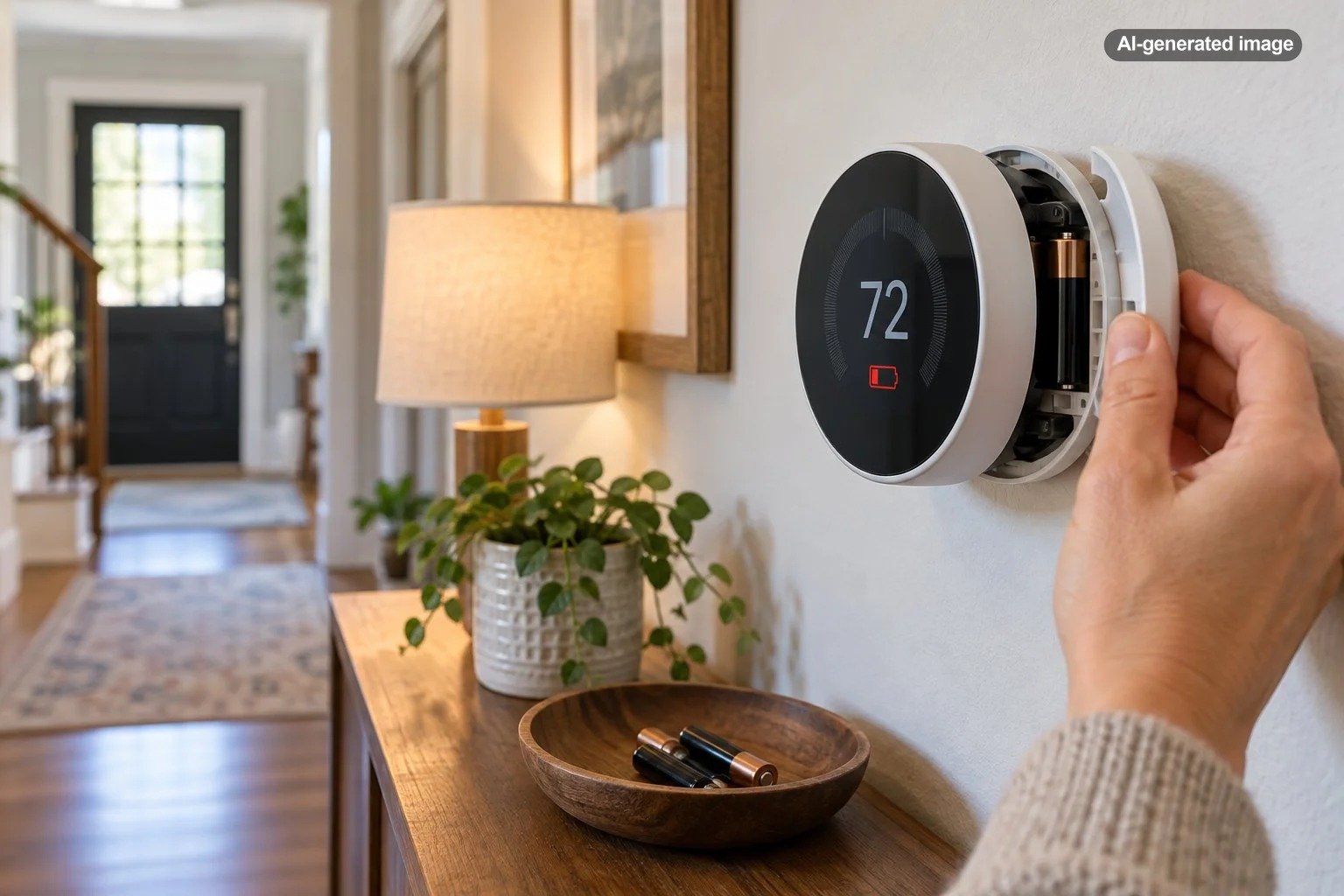
Other thermostats contain rechargeable batteries that receive electricity through the connected HVAC wiring. These batteries help the device remain operational during certain power interruptions, but they are not necessarily intended to support normal operation indefinitely without adequate system power.
Google explains that compatible Nest thermostats normally obtain power through their HVAC connections. When that supply is insufficient, the internal battery can drain, and the thermostat may shut down its display or disconnect from Wi-Fi.
If charging temporarily restores operation but the low-battery warning returns, the charging source deserves investigation before the thermostat itself is replaced.
A Missing or Inadequate C Wire Is a Common Cause
The common wire, usually identified by the letter C, provides a continuous electrical return path that allows compatible thermostats to receive steady low-voltage power from the HVAC system. Unlike the wires that request heating, cooling, or fan operation, its primary purpose in this context is supplying power.
Some smart thermostats are designed to operate without a dedicated C wire. However, whether that arrangement works reliably depends on the thermostat model and the characteristics of the connected heating and cooling equipment.
Google’s official documentation explains that certain Nest installations require a C wire or a compatible power accessory when the existing system cannot provide adequate electricity. This can be particularly relevant with some heat-only, cool-only, heat pump, and zone-controlled systems.
Why a Thermostat Might Work Initially and Fail Later
A thermostat without dependable continuous power may appear perfectly normal for days or even months. During certain operating conditions, however, the available power may not be sufficient to maintain its battery charge.
For example, a thermostat might operate normally during mild weather but develop power problems during a season when the heating or cooling equipment runs differently. The timing does not prove that a missing C wire is responsible, but it provides a useful clue.
Can You Fix the Problem Without Running a New Wire?
Possibly. Depending on the thermostat and HVAC system, an approved power accessory may provide an alternative to installing a new thermostat cable. For example, Google offers the Nest Power Connector for certain compatible installations.
Another possibility is that an existing thermostat cable contains an unused conductor that can be properly configured as a common wire. Neither solution should be assumed compatible without checking the equipment documentation and actual wiring arrangement.
If you are uncertain about the system configuration, an HVAC technician can evaluate the power supply and determine whether a C wire, approved accessory, or another repair is appropriate.
Your HVAC System May Be Interrupting the Power
A thermostat cannot reliably recharge from an HVAC system that is not consistently supplying electricity. In some cases, the thermostat is functioning correctly while another part of the heating or cooling equipment is causing the apparent battery problem.
Potential issues include a switched-off equipment disconnect, a tripped circuit breaker, a blown low-voltage control fuse, an improperly secured access panel, or an equipment fault that interrupts control power.
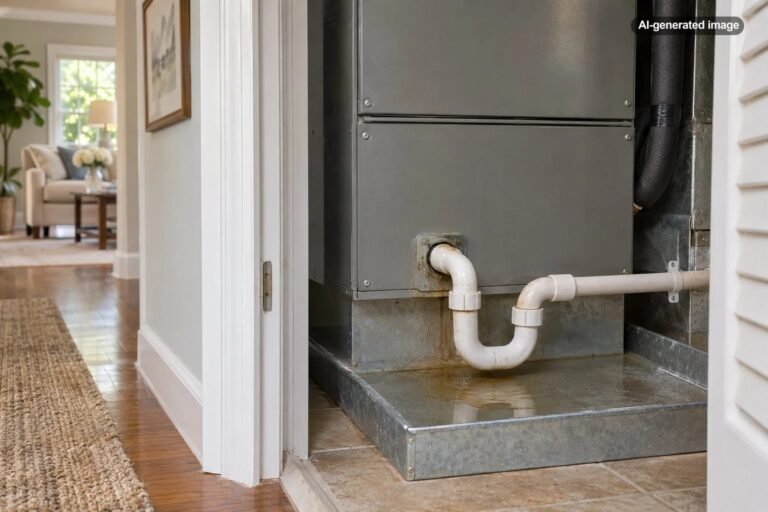
Some HVAC systems also include protective switches that stop normal operation when a problem develops. For instance, a condensate safety device may interrupt equipment operation when a drainage problem is detected. Whether that also affects thermostat power depends on the system’s design and wiring.
Google identifies interrupted HVAC power and equipment malfunctions as possible reasons a Nest thermostat may stop receiving enough electricity.
What You Can Check Without Opening Electrical Equipment
Start with visible, accessible conditions. Check whether other parts of the HVAC system appear operational, whether the thermostat displays a power-related error, and whether an obvious equipment switch has been turned off.
If a breaker has tripped, do not repeatedly reset it. Repeated trips can indicate an electrical or equipment problem that needs professional diagnosis.
Likewise, a thermostat that goes dark whenever the heating or cooling system behaves abnormally may be reporting a larger system issue rather than an isolated battery failure.
Loose or Incorrect Wiring Can Cause Repeated Battery Warnings
Even when the correct wires are present, poor connections can prevent a thermostat from receiving consistent power. A wire that is only partially inserted into a connector may produce intermittent problems that are difficult to recognize from the thermostat display alone.
Incorrect terminal assignments can also cause trouble. Smart thermostats are not universally interchangeable, and an installation designed for one thermostat may need different connections or accessories for another.
Google’s troubleshooting guidance recommends checking for correctly identified, fully seated, undamaged wires when a Nest thermostat reports power or wire-detection problems. It also explicitly instructs users to turn off HVAC system power before inspecting thermostat wiring.
If your battery problem began immediately after installing a new thermostat, replacing HVAC equipment, or having wiring work performed, improper configuration should move higher on the list of possibilities.
However, do not assume that moving wires between terminals is a harmless experiment. Incorrect connections can damage control components or cause equipment malfunctions. Consult the model-specific installation instructions or have a qualified technician inspect the installation.
Could Wi-Fi or Smart Features Be Draining the Battery?
Wi-Fi connectivity, wireless communications, displays, sensors, and other electronic functions consume electricity. That makes it reasonable to wonder whether frequent connectivity activity is contributing to a short battery life.
However, recurring low-battery warnings should not automatically be blamed on Wi-Fi. On thermostats designed for continuous HVAC power, an inadequate supply is often a more productive starting point than disabling useful smart features.
There is also an important cause-and-effect distinction: a thermostat may disconnect from Wi-Fi because its battery is already low. Google specifically documents this behavior for Nest thermostats.
Consequently, a thermostat that loses its Wi-Fi connection and then displays a battery warning may have a power problem rather than a router problem.
When Connectivity Troubleshooting Makes Sense
If your thermostat shows a healthy battery or normal incoming power but continues disconnecting, investigate the wireless connection separately. Router placement, network configuration, and device software may be relevant.
If the device reports low voltage, shuts off its display, or requires frequent charging, focus first on restoring reliable power. Changing network settings is unlikely to repair an interrupted HVAC electrical supply.
How to Troubleshoot a Smart Thermostat Battery That Keeps Dying
The most efficient approach is to rule out straightforward causes before assuming the thermostat needs replacement. The following sequence also helps you collect useful information if professional service becomes necessary.
What to do
- Identify the exact thermostat model. Check the device information menu, documentation, or manufacturer’s app. Determine whether it uses replaceable batteries, an internal rechargeable battery, or continuous HVAC power.
- Record the warning. Note any error code, low-voltage notification, or connection problem. Manufacturer-specific codes can narrow the investigation considerably.
- Check the battery appropriately. Replace user-serviceable batteries with the manufacturer-specified type, observing polarity. For an internal rechargeable battery, follow only the charging procedure approved for that particular model.
- Check the thermostat’s power information. If the model provides incoming voltage, battery status, or wiring diagnostics, review those readings against its official documentation. Do not apply specifications from another thermostat model.
- Look for obvious HVAC power interruptions. Check accessible equipment switches and visible operating status without opening electrical compartments or bypassing protective devices.
- Review the installation history. Note whether the trouble began after a thermostat replacement, HVAC repair, seasonal change, or power outage.
- Arrange a wiring and power inspection when needed. If the warning returns after the appropriate battery procedure, have the C-wire arrangement, power supply, and HVAC controls evaluated.
Do not perform a factory reset as your first diagnostic step. A reset may erase scheduling, network, and equipment settings without correcting the electrical condition responsible for the battery drain.
How to Interpret Common Battery Symptoms
The pattern of the problem can be as informative as the warning itself. Use these examples to decide where to investigate first, while remembering that none is a definitive diagnosis.
| Symptom | Possible explanation | Best next step |
|---|---|---|
| Battery dies shortly after charging | Insufficient HVAC power or aging internal battery | Check power diagnostics and charging conditions |
| New replaceable batteries drain quickly | Wrong battery type, poor contacts, or device fault | Verify the manufacturer’s battery requirements |
| Thermostat loses Wi-Fi and shows low battery | Low power is interrupting wireless operation | Investigate battery and incoming power first |
| Problem began after installation | Wiring, configuration, or compatibility issue | Review installation details with a qualified installer |
| Thermostat dies when HVAC equipment stops | Interrupted control power or equipment fault | Have the HVAC electrical supply inspected |
| Battery warning follows a power outage | Battery depleted while external power was unavailable | Confirm power restoration and follow model-specific guidance |
When Is It Time to Replace the Thermostat?
Replacement becomes more reasonable after the power supply, wiring, and HVAC equipment have been checked and the battery problem remains unresolved.
Aging rechargeable batteries can eventually lose capacity. Likewise, a thermostat with a damaged battery compartment, unreliable contacts, or failed internal electronics may need repair or replacement. Whether battery replacement is supported depends entirely on the manufacturer and model.
Before purchasing another device, determine whether the existing problem is actually caused by the home’s wiring. A new thermostat connected to the same inadequate power supply may develop similar symptoms.
If replacement makes sense, a compatible smart thermostat can restore dependable temperature control while retaining conveniences such as programming and remote adjustments. The key word is compatible: verify the HVAC system type, required terminals, power arrangement, and manufacturer installation requirements before making a purchase.
Affiliate disclosure: CraneManor.com may earn a commission when you purchase through links on this page. This does not affect the price you pay. Learn more.
For homeowners comparing replacement options, the Google Nest Thermostat is one Wi-Fi-enabled model worth evaluating for a compatible system. Its suitability depends on your HVAC configuration and available power wiring; a C wire or compatible power accessory may be necessary in certain installations. Replacing a thermostat is not a substitute for repairing an underlying HVAC power fault.
Before you decide
- Confirm the exact HVAC system type and thermostat compatibility.
- Determine whether dependable C-wire power is available or required.
- Check whether the existing thermostat has a supported battery replacement or repair option.
- Investigate repeated power interruptions before installing another thermostat.
- Use a qualified HVAC professional when the installation involves unfamiliar wiring or equipment controls.
How to Prevent Future Smart Thermostat Battery Problems
The best prevention strategy is ensuring that the thermostat receives the power its manufacturer requires. Properly identified wiring, secure connections, a compatible HVAC configuration, and functioning equipment controls matter more than repeatedly restarting the device.
For battery-powered models, follow the recommended battery type and replacement instructions. Avoid mixing old and new batteries or different battery chemistries unless the manufacturer specifically permits it.
For rechargeable models, pay attention to recurring power warnings instead of simply recharging the display whenever it goes dark. Repeated manual charging may restore temporary operation while leaving the underlying problem untouched.
It is also sensible to review the thermostat’s operation after HVAC service, equipment changes, or extended power outages. If a previously reliable thermostat begins reporting power problems, record when the issue happens and whether heating or cooling operation changes at the same time.
Frequently Asked Questions
Does a smart thermostat need a C wire?
Not always. Some models can operate without a dedicated C wire, while others require one or an approved power accessory. Compatibility depends on the thermostat and HVAC system. A thermostat that repeatedly loses power may need a more dependable supply even if it initially worked without a C wire.
Can I charge my smart thermostat with a USB cable?
Only if your specific model supports USB charging. Certain Nest Learning Thermostat and Nest Thermostat E models provide this option, but the standard Nest Thermostat has no USB charging port. Consult the exact model’s instructions before connecting a charger.
Why does my thermostat keep dying even with new batteries?
Possible causes include inadequate HVAC power, incorrect battery specifications, poor battery contacts, a wiring problem, or a defective thermostat. If the device relies on both batteries and external power, replacing the batteries may not resolve a missing or unreliable power supply.
Can a bad furnace cause thermostat battery problems?
Yes. A malfunctioning furnace or HVAC control system can sometimes interrupt the power supplied to a connected thermostat. The relationship depends on the equipment design and wiring. If the thermostat fails alongside heating or cooling equipment, arrange a professional inspection rather than assuming the battery is the only problem.
Will replacing my smart thermostat solve the battery problem?
It may solve a problem caused by failed thermostat hardware, but it will not necessarily correct inadequate wiring or interrupted HVAC power. Verify the underlying cause before replacing the device, especially if battery warnings started after equipment work or have persisted through multiple battery replacements.
The Bottom Line
A smart thermostat that repeatedly runs out of battery power is often pointing to an electrical supply problem rather than asking for endless battery replacements. The right solution begins with understanding how your particular model receives electricity, checking the appropriate battery and power information, and identifying whether the HVAC system is delivering consistent power.
When the cause is a missing common wire, interrupted equipment power, or an unreliable connection, addressing that condition is usually more useful than resetting the thermostat again. If the electrical supply is sound and the battery still fails, repair or replacement becomes a more sensible next step. A dependable smart home starts with dependable wiring, even when the technology on the wall looks wonderfully simple.
Sources & Further Reading
- Google Home and Nest Help: Learn about the common or C wire
- Google Home and Nest Help: Nest thermostat compatibility
- Google Home and Nest Help: Troubleshoot a No power alert on a Nest thermostat
- Google Home and Nest Help: Troubleshoot your Nest thermostat is offline
- Google Home and Nest Help: Nest thermostat USB port
- Google Home and Nest Help: Troubleshoot when your thermostat won’t turn on