Why Does My Doorbell Ring by Itself?
A doorbell that rings by itself usually does not mean anything mysterious is happening at the front door. With a traditional wired system, two of the most common explanations are a sticking pushbutton or a short in the wiring between the button and the chime. Wireless and smart doorbells add other possibilities, including transmitter problems, configuration issues, incompatible components, or installation-related electrical faults.
The sensible approach is to start with the simple, visible possibilities and stop before troubleshooting becomes electrical repair. A doorbell may operate on a low-voltage circuit, but that circuit is typically supplied through equipment connected to the home’s electrical system. If the problem involves damaged wiring, a transformer, overheating, repeated breaker trouble, or anything you cannot identify confidently, a qualified electrician is the appropriate next step.
Start with the doorbell button
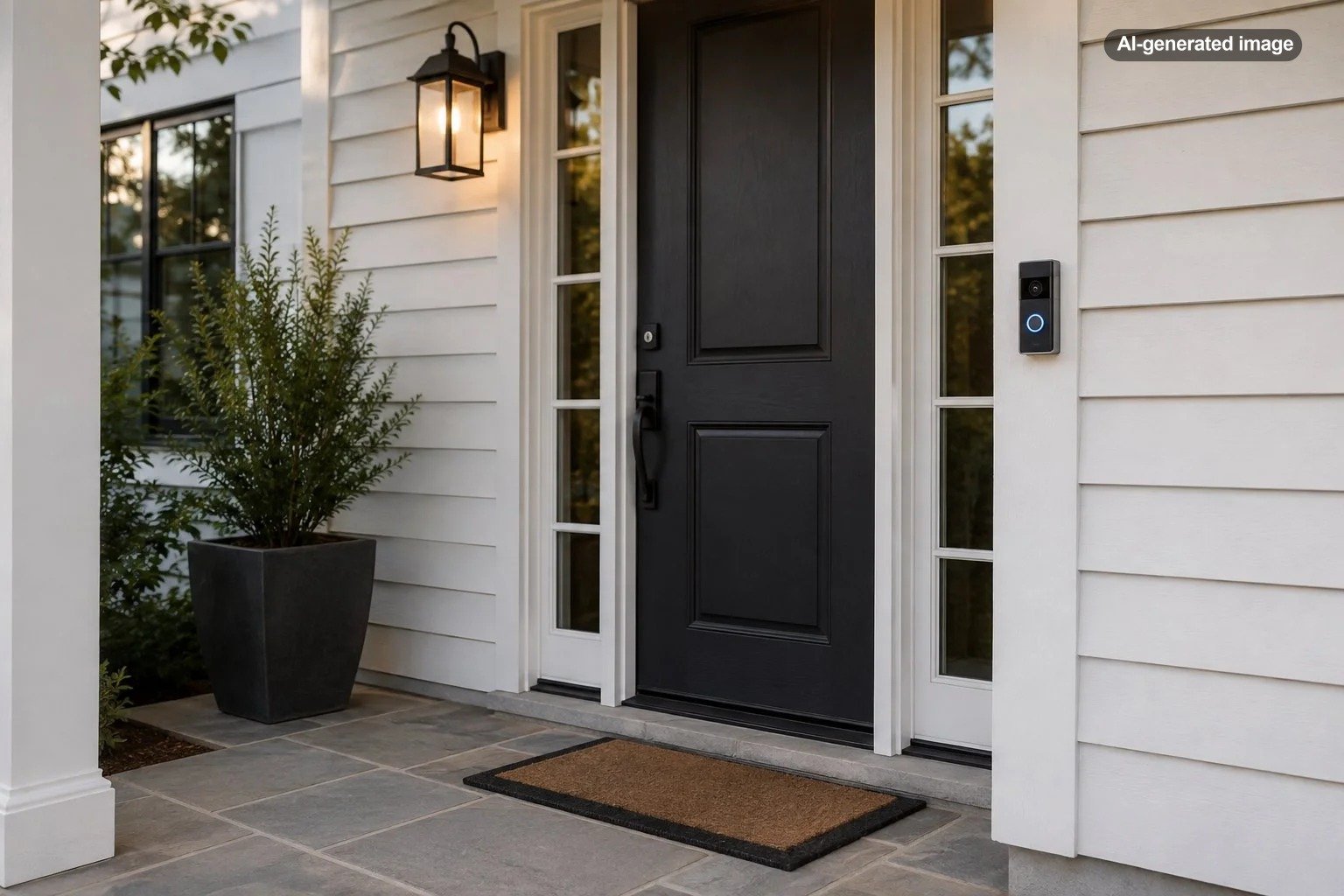
The button is the least glamorous part of a doorbell system, which is precisely why it is easy to overlook. In a conventional wired doorbell, pressing the button closes the circuit and activates the chime. If the button remains partially depressed or its contacts stay closed, the system may behave as though someone is pressing it.
Broan-NuTone specifically identifies a stuck pushbutton as one possible reason a chime rings by itself. Dirt, paint, weather exposure, a warped button housing, or ordinary wear can keep a mechanical button from moving freely, although the exact cause varies by installation.
What to do
- Press and release the doorbell button several times and notice whether it moves smoothly.
- Look for a button that sits crooked, remains depressed, or returns slowly.
- If the button is obviously damaged, do not keep forcing it or repeatedly cycling the system.
- If the button behaves normally but the unexplained ringing continues, move on to the rest of the system.
A short in the doorbell wiring can imitate a button press
A wired doorbell depends on conductors running between the button, chime, and transformer. If conductors that should remain separate touch each other, the circuit can behave as though the button has been pressed. Broan-NuTone lists shorted wiring between the chime and pushbutton as another cause of a chime ringing by itself.
This becomes especially relevant after a button replacement, smart-doorbell installation, wall repair, painting project, or other work near the doorbell wiring. Google also warns in its Nest Doorbell installation guidance that exposed conductors or connectors should not touch the backplate because this can create an electrical short and damage the doorbell.
A visual observation is one thing; dismantling an unfamiliar powered system is another. If you see loose conductors, damaged insulation, scorch marks, or wiring you cannot identify, stop there rather than experimenting with connections.
Wireless doorbells can have a different kind of ghost ringing
If there is no traditional wire running from the exterior button to the indoor receiver, the diagnostic path changes. Wireless chimes depend on a transmitter and receiver that communicate electronically. Some systems use selectable codes or pairing settings so the receiver knows which transmitter it should respond to.
For example, Broan-NuTone’s documentation for certain wireless chimes instructs owners experiencing ghost ringing to change the chime code and then change the wireless pushbutton to match. That does not mean every modern wireless doorbell can be fixed by changing a code; pairing methods vary considerably by brand and model. The useful lesson is to consult the instructions for the exact receiver and button rather than applying generic wireless-doorbell advice.
Also check whether the sound you are hearing is actually the indoor doorbell receiver. A phone notification, smart speaker announcement, security-system alert, or another electronic chime can be surprisingly easy to mistake for the doorbell when you are in another room.
Smart doorbells make the chime system more complicated
A video doorbell may be powered by the existing doorbell circuit while also communicating through Wi-Fi and interacting with an indoor mechanical or electronic chime. That introduces more variables than the familiar button-transformer-chime arrangement.
Manufacturer-specific installation details matter here. Google, for example, provides separate troubleshooting for Nest doorbells that ring unexpectedly or continuously and directs users to consider how the doorbell was installed and connected to the existing chime. Its installation instructions also emphasize proper wire placement and avoiding contact that could create a short.
If unexplained ringing began immediately after installing a smart doorbell, replacing a transformer, adding a chime connector, or changing the indoor chime, treat that timing as useful evidence. Recheck the manufacturer’s documentation for the exact model and installation type. Do not assume that a wiring arrangement that worked with a simple pushbutton is automatically correct for every video doorbell.
Confirm whether anyone is actually approaching the door
Before assuming every unexplained ring is an electrical problem, establish what is happening outside. A delivery driver may press the button and leave quickly, a neighbor may have the wrong house, or someone may press the bell while moving out of the camera’s view. If you already have a video doorbell, review its event history when the unexplained ring occurs.
Affiliate disclosure: CraneManor.com may earn a commission when you purchase through links on this page. This does not affect the price you pay. Learn more.
For an entry that is not covered by the doorbell itself, an outdoor camera for monitoring an entry area can provide another way to see whether somebody was actually present. A camera does not diagnose faulty doorbell wiring, prevent every unwanted event, or guarantee uninterrupted coverage, but visual context can help separate a real visitor from a phantom activation.
Do not overlook the transformer and chime
The transformer supplies the doorbell circuit, while the chime converts the electrical signal into the sound you hear. Either can become relevant when the basic button and visible wiring checks do not explain the problem. Compatibility also matters when a traditional doorbell has been upgraded with electronic or video components.
Exact transformer requirements are product-specific. Broan-NuTone documentation, for example, specifies different transformer requirements for particular chime configurations, while smart-doorbell manufacturers publish their own power and compatibility instructions. That is why replacing a transformer based on a generic voltage recommendation from an unrelated doorbell model is a poor troubleshooting shortcut.
If a transformer hums loudly, appears damaged, becomes unusually hot, or is located in a place where accessing it would expose household electrical wiring, leave diagnosis and replacement to a qualified professional.
A random ring is useful evidence: note what rang, when it happened, and what changed before the problem began.
Use the timing of the problem as a diagnostic clue
Intermittent problems are easier to narrow down when you look for patterns instead of waiting beside the front door. Write down whether the physical chime rang, whether a phone notification appeared, whether a camera recorded an event, and whether the problem happened during rain, after someone used the button, or after recent installation work.
If the problem began after replacing only the exterior button, that component and its connections deserve attention first. If it began after installing a video doorbell, focus on the manufacturer’s wiring, chime, and power requirements. If an older wireless receiver rings unpredictably, its pairing or coding procedure may be the more relevant path.
Before you decide what needs repair
- Identify whether the sound came from the physical chime, a wireless receiver, a phone, or a smart speaker.
- Check whether the exterior button moves normally.
- Note whether the problem started after installation, painting, renovation, or equipment replacement.
- Review available doorbell or camera event history.
- Use the troubleshooting instructions for the exact doorbell and chime models.
- Stop if investigation would require working around unfamiliar electrical connections.
When should you call an electrician?
Professional help is reasonable when the doorbell keeps activating after simple noninvasive checks, when wiring appears damaged, or when the problem seems connected to the transformer or household electrical supply. It is also appropriate when you cannot locate the transformer, cannot identify how the existing chime was wired, or inherited a mixture of old and new doorbell components with no documentation.
The U.S. Consumer Product Safety Commission emphasizes the importance of protecting people and property from electrical fire and shock hazards. A malfunctioning doorbell is not a reason to dismantle equipment or work around energized household wiring without the appropriate knowledge and precautions.
Frequently asked questions
Can a stuck doorbell button make the bell ring randomly?
Yes. A sticking pushbutton is one manufacturer-identified cause of a chime ringing by itself. If the button does not release normally, it is a sensible first place to investigate.
Can crossed or touching doorbell wires cause phantom ringing?
Yes. Shorted wiring can imitate the electrical condition created by pressing a wired doorbell button. Improperly positioned exposed conductors can also create a short in some smart-doorbell installations.
Why did the problem start after installing a video doorbell?
A smart doorbell changes the electrical and electronic relationships among the button, chime, transformer, and any supplied chime connector or power accessory. Follow the exact manufacturer’s installation and troubleshooting instructions rather than assuming the original doorbell wiring needs no changes.
Does a random doorbell ring mean someone was outside?
Not necessarily. Check available video or event history if you have it. A stuck button, wiring fault, wireless pairing issue, or smart-doorbell problem can produce an activation without a visitor deliberately pressing the bell.
Should I replace the transformer myself?
Not simply because the doorbell rings unexpectedly. Transformer requirements vary by system, and transformer work can involve the home’s electrical supply. If testing or replacement would expose unfamiliar electrical wiring, use a qualified electrician.